ChatGPT vs Gemini: Which AI Assistant Is Better in 2026?
Are you trying to choose between ChatGPT vs Gemini in 2026? I regularly use both AI assistants for writing articles, researching topics, creating images, building websites, solving technical problems and managing online-business projects.
After using both platforms, I prefer Gemini overall. In my experience, Gemini produces better long-form writing, follows exact instructions more reliably and provides more accurate answers with fewer mistakes.
However, ChatGPT is the subscription I would keep if I could only pay for one. It gives me better research, coding assistance, website-building support, image creation, speed, everyday usability and value for money.
In this detailed ChatGPT vs Gemini comparison, I examine writing, research, accuracy, coding, image generation, Google integration, pricing, usage limits and overall value.
Quick verdict: Gemini is my preferred assistant for writing quality, accuracy and precise instruction-following. ChatGPT is the better all-round subscription for research, images, coding, websites, speed and everyday business tasks.
Transparency note: This article does not currently contain affiliate links. The product links lead to official ChatGPT and Gemini websites, and Tool Habour does not earn a commission when you use them. If affiliate links are added later, this disclosure will be updated clearly.
Table of Contents
ChatGPT vs Gemini comparison table
| Feature | ChatGPT | Gemini | My winner |
|---|---|---|---|
| Overall preference | Better all-round platform | My preferred assistant overall | Gemini |
| Long-form writing | Strong and flexible | Better articles in my experience | Gemini |
| Exact instructions | Occasionally misses requirements | Follows my instructions more reliably | Gemini |
| Research | More useful information for my projects | Strong Deep Research and Google Search access | ChatGPT |
| Accuracy | Capable but requires checking | Fewer mistakes in my experience | Gemini |
| Coding | Strong coding and troubleshooting support | Capable coding assistance | ChatGPT |
| Website creation | Better for my website projects | Useful through Canvas | ChatGPT |
| Images | Better for generating and editing images | Built-in image generation and editing | ChatGPT |
| Everyday use | Easier and more enjoyable for me | Better suited to more experienced users | ChatGPT |
| Speed | Normally faster for my tasks | Speed varies by model and task | ChatGPT |
| Usage limits | Limits depend on plan and tools | More frustrating interruptions for me | ChatGPT |
| Business support | Helps my online businesses more | Strong Google integration | ChatGPT |
| Trust | Useful but must be verified | I trust it more before checking | Gemini |
| Value for money | Better value for my workflow | Strong bundle for Google users | ChatGPT |
| One subscription | The subscription I would keep | My preferred output quality | ChatGPT |
The comparison reveals an important distinction: Gemini is my preferred assistant, but ChatGPT is my preferred subscription.
Gemini wins when I focus on writing quality, accuracy and instruction-following. ChatGPT wins when I consider the complete range of tasks I perform every day.
How I compared ChatGPT and Gemini
I did not base this comparison entirely on feature lists or artificial benchmarks. I evaluated both assistants through the types of tasks that affect my actual work.
I use AI assistants for:
- Researching blog topics
- Writing SEO articles
- Creating WordPress websites
- Generating and editing images
- Writing and correcting code
- Developing digital products
- Planning affiliate-marketing projects
- Solving technical problems
- Analysing files
- Supporting online businesses
- Answering everyday questions
I judged ChatGPT and Gemini according to writing quality, research usefulness, accuracy, instruction-following, coding performance, image capabilities, speed, usability, interruptions and value for money.
These are personal observations, not controlled laboratory results. Your experience may differ depending on your prompts, selected model, subscription, location and type of work.
What is ChatGPT?
ChatGPT is an AI assistant developed by OpenAI. It can answer questions, explain concepts, draft and edit content, analyse files, assist with research, create images and help with coding.
Depending on the plan and tools available, ChatGPT can support:
- Web search
- Detailed research
- Long-form writing
- File analysis
- Image generation and editing
- Voice conversations
- Coding and debugging
- Data analysis
- Projects and ongoing work
- Customised assistants
- Website creation and technical tasks
ChatGPT’s greatest advantage is its breadth. It combines several creative, analytical and technical capabilities within one platform.
For my workflow, this means I can research a subject, write an article, create its images, troubleshoot website code and analyse related files without constantly switching products.
OpenAI also continues to expand ChatGPT’s image-editing and project capabilities. Its current documentation describes tools for generated-image refinement, desktop work and coding workflows. Features and access can differ between plans. View official ChatGPT product updates.
What is Gemini?
Gemini is Google’s AI assistant. It can help with writing, research, coding, file analysis, image generation and tasks involving Google services.
Depending on your plan and region, Gemini can provide:
- Google Search-supported answers
- Deep Research
- File uploads and analysis
- Image generation and editing
- Canvas for documents, code and applications
- Gems for customised workflows
- Google Workspace connections
- Access to information from Gmail and Drive
- Integration with Google Docs and other services
- Larger context windows on paid plans
One of Gemini’s biggest advantages is its connection to the broader Google ecosystem.
Google says Gemini’s Workspace connection can find information and create summaries using services such as Gmail and Docs. Gemini Deep Research can use Google Search by default and may also use connected services, uploaded files and NotebookLM notebooks. Read Google’s official Gemini Deep Research guide.
This integration can be valuable if your work already happens inside Gmail, Google Drive, Docs, Sheets and other Google products.
ChatGPT vs Gemini for writing and editing
Both assistants can create:
- Blog articles
- Reports
- Emails
- Product descriptions
- Social-media content
- Marketing copy
- Video scripts
- Business documents
- Website copy
In my experience, Gemini produces better articles and long-form writing.
Its drafts more closely match the quality and structure I want before editing. It also follows my exact instructions more reliably.
That second advantage is important. An article request can include a target keyword, required headings, a specific tone, a word-count range, a comparison table, FAQs and details that must not be removed.
If the assistant ignores even a few of those instructions, I have to spend more time correcting the draft.
Gemini has been more consistent when I provide a detailed brief containing several requirements.
ChatGPT is still an effective writing assistant. It is particularly useful when writing forms part of a broader workflow that includes research, images, data and website work.
Which is better for writing?
My writing winner is Gemini.
I prefer Gemini’s articles and long-form output. It also follows my writing instructions more reliably.
ChatGPT remains useful when I need to move quickly between research, writing, images and other business tasks.
ChatGPT vs Gemini for research
Both platforms offer tools for researching current information.
Gemini Deep Research uses Google Search as a source by default. Google allows users to adjust sources and potentially include connected Gmail or Drive content, uploaded files and NotebookLM notebooks. Gemini creates a research plan before generating its report. See how Gemini Deep Research works.
That is a strong research offering, especially for users already working inside Google’s ecosystem.
However, ChatGPT gives me better research and more useful information for my projects.
Its responses normally give me a clearer starting point and help me identify useful angles for articles, business decisions and technical tasks.
This is based on the usefulness of the final information, not merely the number of sources collected.
Regardless of which assistant you use, never assume that an AI research report is automatically correct. Open the cited sources and check important claims before publishing them.
Which is better for research?
My research winner is ChatGPT.
Gemini has powerful research features and close Google integration, but ChatGPT produces more useful research for my workflow.
Accuracy and instruction-following
Accuracy is one of Gemini’s strongest advantages in my experience.
Gemini provides more accurate answers with fewer mistakes. I also trust Gemini more for important work before checking the answer myself.
That does not mean I trust Gemini blindly.
Both platforms can:
- Misunderstand a question
- Use outdated information
- Misinterpret an uploaded file
- Produce incorrect calculations
- Invent a detail
- Present an uncertain answer confidently
Trusting Gemini more only means that its first answer has been more dependable in my experience.
Gemini also follows my exact instructions more reliably. This helps with long articles, structured documents and assignments containing many requirements.
Which assistant is more accurate?
My accuracy winner is Gemini.
Which follows instructions better?
My instruction-following winner is Gemini.
Human review remains essential for both assistants.
ChatGPT vs Gemini for coding and website creation
ChatGPT and Gemini can both:
- Explain code
- Identify errors
- Suggest improvements
- Generate code examples
- Help plan websites
- Assist with debugging
- Create basic applications
- Analyse technical problems
Google offers Canvas within Gemini for creating and editing documents, applications and code. Gemini can also import a GitHub repository in supported workflows, subject to file and access limits. Read Google’s official Gemini Canvas guidance.
Despite these capabilities, ChatGPT is better for coding and website creation in my experience.
It has helped me more when building websites, diagnosing problems and creating technical solutions for online projects.
ChatGPT is also stronger when a coding task forms part of a larger workflow. I can discuss the business goal, plan the website, generate content, create images and then work on the code within the same platform.
Any AI-generated code should be reviewed and tested before it is placed on a live website. A page that looks correct may still contain accessibility, performance, security or mobile-layout problems.
Which is better for coding?
My coding winner is ChatGPT.
Which is better for creating websites?
My website-creation winner is ChatGPT.
ChatGPT vs Gemini for images
Both ChatGPT and Gemini can generate and edit images, depending on plan availability, location and usage limits.
Google lists image generation and editing among Gemini’s available AI features. Google’s paid AI plans also provide increased access to media-generation tools. Compare Google AI plan features.
Gemini is capable of creating attractive visuals, but ChatGPT is better for images in my experience.
I use images for blog articles, social-media content, website sections, promotional posters and brand materials. ChatGPT has been more useful across these tasks.
ChatGPT also allows me to discuss an image, request a targeted change and continue refining it within the same conversation.
Which AI assistant is better for images?
My image winner is ChatGPT.
Gemini remains a capable option, particularly for people already paying for Google AI tools.
Files, documents and context windows
Both assistants support file-based work.
Google says Gemini can analyse documents, spreadsheets, photos, videos and other uploaded content. Its paid plans also provide larger context windows.
Google currently lists:
- 32,000 tokens without an AI plan
- 128,000 tokens with Google AI Plus
- One million tokens with Google AI Pro and Ultra
A larger context window can help an assistant process more information from long conversations or substantial document collections. However, a larger advertised context window does not automatically guarantee a better final answer. See Gemini’s official context and usage information.
ChatGPT also supports document and file analysis, including mixed workflows involving data, writing, images and coding.
Files and documents verdict
Gemini is especially attractive for very large document collections and users who need Google integration.
ChatGPT is my preferred option when a project combines files with research, images, data and website work.
Google Workspace integration
Google integration is one of Gemini’s clearest competitive advantages.
Gemini can connect with Google Workspace services and help users find, summarise or work with information from services such as Gmail, Docs and Drive, depending on permissions and availability. Read Google’s Workspace connection guide.
This can be valuable if you:
- Manage work through Gmail
- Store documents in Google Drive
- Write inside Google Docs
- Use Google Sheets
- Organise meetings through Google Calendar
- Want AI inside familiar Google applications
ChatGPT provides a broad ecosystem and can work with files and connected services, but Gemini’s native relationship with Google’s products is a distinctive advantage.
Google integration winner: Gemini.
Speed and everyday usability
Both assistants have clean interfaces, but ChatGPT is easier and more enjoyable for me to use every day.
ChatGPT also normally responds faster for my tasks.
Response speed can change depending on:
- The model selected
- The length of the prompt
- The number and size of uploaded files
- Whether research tools are running
- Platform demand
- Subscription level
- Task complexity
Gemini may be the stronger assistant for certain precise or document-heavy tasks, but ChatGPT feels more accessible for quick everyday use.
Speed winner
ChatGPT.
Ease-of-use winner
ChatGPT.
I would recommend Gemini more strongly to experienced AI users rather than complete beginners. Beginners and everyday users may find ChatGPT easier to approach.
Usage limits and interruptions
Neither platform offers unlimited access to every model and feature under normal consumer plans.
Google explains that Gemini limits can depend on prompt complexity, conversation length, file uploads, selected model and feature usage. Media generation and Deep Research can consume more usage capacity.
Google’s current plan structure provides:
- Standard limits without an AI subscription
- Twice the standard limits with Google AI Plus
- Four times the standard limits with Google AI Pro
- Higher limits with Google AI Ultra
Google also warns that limits may change. Review Gemini’s current usage-limit information.
In my experience, Gemini has more frustrating usage limits or interruptions.
A tool may produce excellent results, but frequent interruptions can reduce its practical value when you need to complete work consistently.
My usage-limits winner: ChatGPT.
ChatGPT vs Gemini pricing
Both platforms provide free access with limitations, while paid plans offer higher usage or additional features.
Google’s current US-listed pricing includes:
- Google AI Plus: $4.99 per month
- Google AI Pro: $19.99 per month
- Google AI Ultra: higher-priced plans for maximum access
Google AI Pro includes expanded Gemini access and 5 TB of cloud storage. Availability, currencies, taxes and bundled benefits can vary by country. Check current Google AI pricing.
ChatGPT also offers free and paid plans. Pricing and included capabilities can change, so users should check the current official plan page before subscribing.
Do not compare the subscriptions using price alone. Consider:
- Which features you use weekly
- The number of corrections required
- Usage limits
- Included cloud storage
- Image and research capabilities
- Coding tools
- Integration with your existing applications
- Time saved
Which subscription offers better value?
ChatGPT offers better value for money for my workflow.
Even though Gemini is my preferred assistant overall, ChatGPT supports more of the tasks I perform regularly.
I use ChatGPT for:
- Research
- Website creation
- Coding
- Image generation
- Everyday assistance
- Business planning
- Technical troubleshooting
- Content workflows
Google AI Pro may provide better value for someone who needs Gemini, Google Workspace integration and additional cloud storage in one subscription.
However, if I could pay for only one subscription, I would keep ChatGPT.
My value-for-money winner is ChatGPT.
ChatGPT advantages and disadvantages
ChatGPT advantages
- Better research for my projects
- Better coding assistance
- Better website-building support
- Better image generation and editing
- Faster responses in my experience
- Easier everyday interface
- Better support for my online businesses
- Better overall value for my workflow
- More suitable for beginners
ChatGPT disadvantages
- Gemini produces better long-form writing for me
- Less reliable at following exact instructions
- More mistakes in some of my comparisons
- I trust Gemini more before verification
- Important answers still require fact-checking
Gemini advantages and disadvantages
Gemini advantages
- My preferred assistant overall
- Better articles and long-form writing
- Better instruction-following
- More accurate answers in my experience
- Strong Google Search integration
- Deep Research
- Google Workspace connections
- Large context window on paid plans
- Strong choice for experienced AI users
Gemini disadvantages
- More frustrating limits and interruptions for me
- Slower than ChatGPT for my tasks
- Less enjoyable for everyday use
- Not my preferred assistant for images
- Not my preferred assistant for coding or websites
- Provides less overall subscription value for my workflow
- May be less approachable for beginners
Which AI assistant should you choose?
Choose ChatGPT if you:
- Want one assistant for many different tasks
- Need help with research, images, coding and websites
- Run an online business
- Prefer faster responses
- Want an easier everyday experience
- Are new to AI assistants
- Need better all-round value
- Can only pay for one broad subscription
Choose Gemini if you:
- Prioritise long-form writing quality
- Need exact instruction-following
- Value accuracy above speed
- Work extensively with Google services
- Need access to Gmail, Docs or Drive information
- Work with very large document collections
- Want Google-powered Deep Research
- Already understand how to use AI tools effectively
Consider using both if you:
- Use AI for professional work every day
- Want to compare important answers
- Use Gemini for writing and accuracy
- Use ChatGPT for research, coding and images
- Can justify the cost through time saved
- Need both Google integration and broad creative tools
ChatGPT vs Gemini final verdict
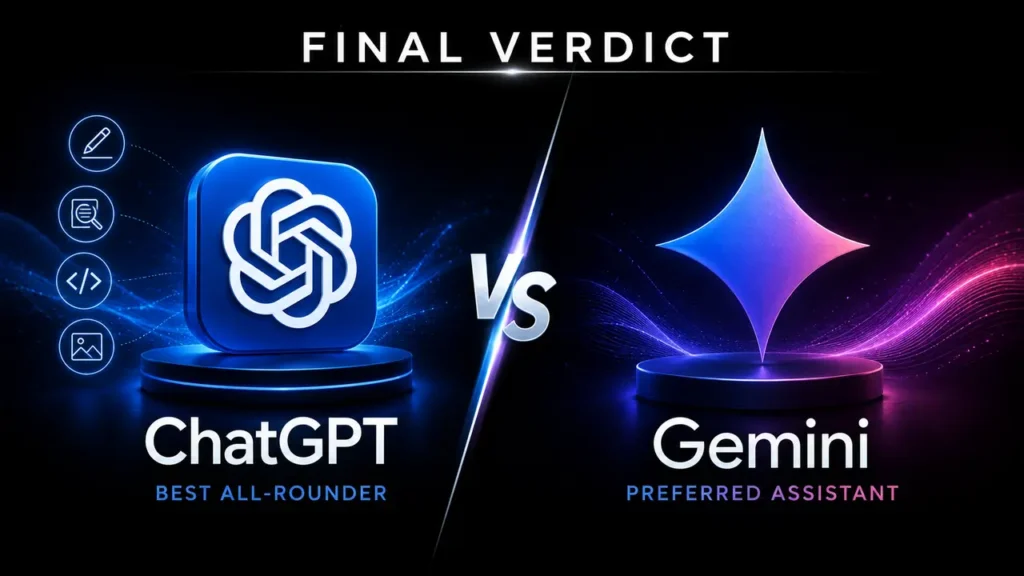
After testing ChatGPT and Gemini across real tasks, Gemini is my preferred AI assistant overall.
It produces better long-form articles for me, follows my exact instructions more reliably and provides more accurate answers with fewer mistakes. I also trust Gemini more for important work before checking the answer myself.
However, ChatGPT is the subscription I would keep if I could only choose one.
ChatGPT gives me better research, image creation, coding assistance, website-building support, speed, everyday usability and value for money. It also helps my online businesses more overall.
My verdict is therefore divided into two clear parts:
- Best for output quality, accuracy and instruction-following: Gemini
- Best all-round subscription for practical everyday work: ChatGPT
Gemini may be the better specialist for experienced users who value precision and already work extensively with Google services.
ChatGPT may be the better choice for beginners, creators, website owners, online entrepreneurs and everyday users who want one assistant capable of handling many different tasks.
The best way to choose is to test both free versions using the same real assignments. Compare the final output after your corrections—not only the first response.
The assistant that consistently saves you the most time while producing reliable work deserves your subscription.
Frequently asked questions
Is Gemini better than ChatGPT?
Gemini is better for my long-form writing, accuracy and instruction-following. ChatGPT is better for my research, images, coding, websites, speed and everyday business tasks. The best option depends on what you need most.
Is ChatGPT or Gemini better for writing?
Gemini produces better articles and long-form writing in my experience. It also follows detailed writing instructions more reliably. ChatGPT remains useful when writing is combined with research, images and other tools.
Is ChatGPT or Gemini better for research?
ChatGPT gives me better and more useful research. Gemini also offers strong Deep Research powered by Google Search and can incorporate connected Google services and uploaded files.
Which is more accurate: ChatGPT or Gemini?
Gemini provides more accurate answers with fewer mistakes in my experience. Both assistants can still be wrong, so important information must be verified.
Which is better for coding?
ChatGPT is better for coding and website creation in my experience. Gemini remains capable and offers Canvas for working with applications, documents and code.
Which AI assistant is better for images?
ChatGPT is better for generating and editing images in my workflow. Gemini also supports image creation and editing, subject to plan availability and usage limits.
Is Gemini better for Google Workspace?
Yes. Gemini’s connection to Gmail, Docs, Drive and other Google services is one of its strongest advantages. Availability depends on your account, permissions, settings and subscription.
Is ChatGPT easier for beginners?
ChatGPT is easier and more enjoyable for me to use every day. I would recommend it to beginners and everyday users. Gemini may be better suited to users with more AI experience or specific Google-based workflows.
Which assistant has better usage limits?
ChatGPT provides the better experience for me. Gemini has caused more frustrating interruptions. Actual limits depend on the plan, model, task and features used.
Which subscription offers better value?
ChatGPT offers better value for my workflow because I use it for research, websites, coding, images and everyday assistance. Google AI may provide better value for users who need Gemini plus Google storage and Workspace integration.
If you could only keep one, which would you choose?
I would keep ChatGPT because it covers more of my everyday and online-business needs, even though Gemini is my preferred assistant for writing quality and accuracy.
Can I trust ChatGPT and Gemini?
Neither assistant should be trusted blindly. Verify important claims using authoritative sources, test generated code and apply human review to legal, medical, financial, security and other high-stakes decisions.
Editorial note: Tool Habour prepared this comparison using personal hands-on experience and official product documentation. AI products change frequently, so prices, features and usage limits should always be confirmed on the official websites.