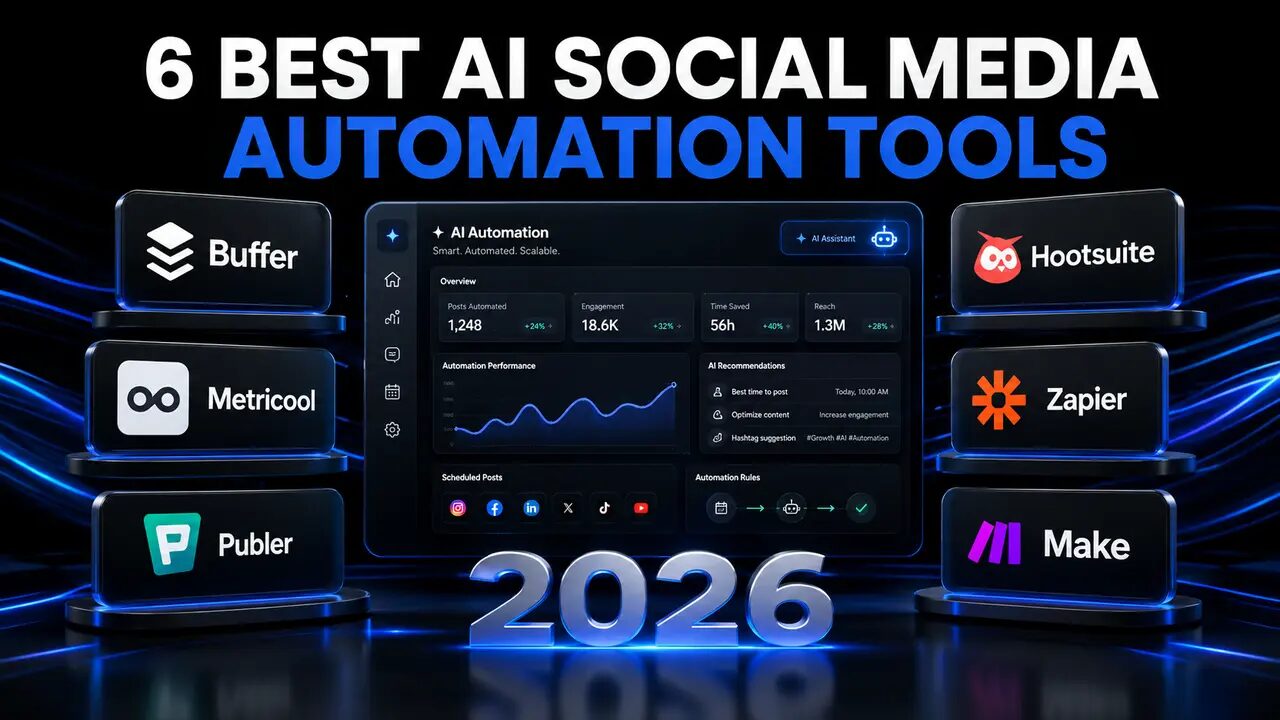
6 Best AI Social Media Automation Tools for Small Businesses in 2026
The best AI social media automation tools help small businesses create content, schedule posts, analyse performance and manage multiple social networks without spending the entire day online.
Platforms such as Buffer, Metricool, Publer, Hootsuite, Zapier and Make can automate repetitive social-media tasks while allowing business owners to retain control over their content and customer relationships.
In this guide, I compare six of the best AI social media automation tools for small businesses in 2026, including their AI features, supported platforms, free plans, pricing, advantages and limitations.
Last updated: August 2026
Transparency note: I have not personally tested every platform included in this article. This is a researched comparison based on current information published by the providers. Features, prices and usage limits can change. Confirm the latest details on each tool’s official website before subscribing. This article does not currently contain affiliate links
Table of Contents
Best AI social media automation tools: quick verdict
The best platform depends on which parts of social-media management you need to automate.
Here are my recommendations based on the published capabilities of each platform:
- Buffer: Best overall option for beginners
- Metricool: Best for scheduling and analytics
- Publer: Best for AI content and bulk scheduling
- Hootsuite: Best for established marketing teams
- Zapier: Best for easy application-to-application automation
- Make: Best for advanced visual workflows
For a new small business, Buffer is the best starting option. It combines a straightforward interface, AI writing assistance, multi-platform publishing and a usable Free plan.
Metricool is the better choice when analytics, competitor tracking and reporting are just as important as scheduling.
Zapier and Make are different from traditional social-media management tools. They operate as automation engines that connect websites, AI services, spreadsheets, scheduling platforms and other business applications.
A practical small-business system could use:
- Buffer or Metricool for scheduling
- Zapier or Make for workflow automation
- AI for generating caption drafts
- Manual approval before publication
- Analytics for measuring results
AI social media automation tools comparison
| Tool | Best for | Free option | Main AI capabilities | Important limitation |
|---|---|---|---|---|
| Buffer | Beginners and small businesses | Up to three channels | Content ideas, rewriting and platform-specific posts | Paid pricing increases with connected channels |
| Metricool | Scheduling and analytics | One brand and 20 scheduled posts monthly | AI caption and content assistance | Some networks are excluded from Free |
| Publer | AI content and bulk scheduling | Free account available | Captions, ideas, hashtags, translations, images and replies | Full AI access may require Business |
| Hootsuite | Established teams | Free trial | Caption generation, rewriting and content ideas | Expensive for new small businesses |
| Zapier | Easy business integrations | 100 tasks monthly | AI-assisted automation and workflow creation | Free workflows have limited steps |
| Make | Advanced visual workflows | 1,000 credits monthly | AI models, agents, filters and workflow logic | Steeper learning curve |
Prices, allowances and features may vary according to billing period, location and product updates.
What is AI social media automation?
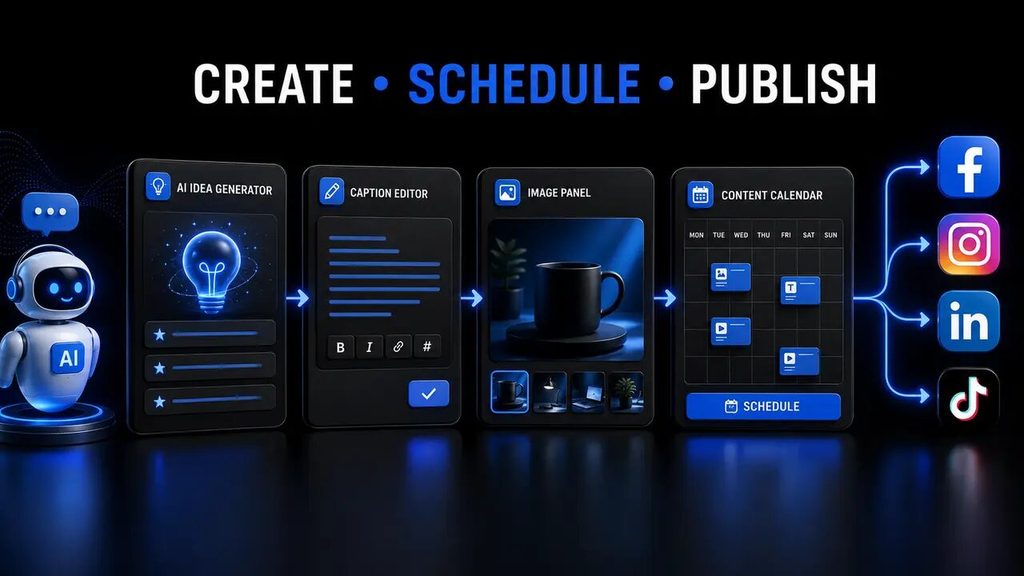
AI social media automation combines artificial intelligence with scheduling and workflow software to reduce repetitive work.
A traditional scheduling tool publishes content created by a person. An AI-powered tool can also assist with creating, rewriting, organising or analysing that content.
Businesses can use AI automation to:
- Generate content ideas
- Draft captions
- Rewrite posts
- Suggest hashtags
- Schedule approved content
- Repurpose blog articles
- Translate captions
- Analyse performance
- Suggest posting times
- Organise comments
- Create reports
- Record social-media leads
- Notify staff about important activity
For example, a business could create a workflow that detects a newly published WordPress article, generates separate caption drafts for Facebook and LinkedIn, sends those drafts for approval and then schedules the approved content.
The purpose is not to remove human involvement. The purpose is to spend less time copying information between platforms and more time improving content, responding to customers and developing the business.
What can small businesses automate?
Not every social-media task should be automated. The best candidates are repetitive activities that follow predictable rules.
Good social-media tasks to automate
Small businesses can safely automate tasks such as:
- Adding approved posts to a content calendar
- Sharing newly published blog articles
- Creating first drafts of captions
- Reformatting content for different platforms
- Sending approval notifications
- Saving leads in a spreadsheet
- Recording published content
- Producing routine performance reports
- Backing up social-media content
- Moving approved images between applications
Tasks that require human oversight
A person should remain responsible for:
- Handling serious complaints
- Responding to emotional customer messages
- Managing refunds and disputes
- Approving factual claims
- Publishing sensitive announcements
- Reviewing legal or medical statements
- Managing a public-relations problem
- Checking copyright and licensing
- Making strategic decisions
An automated reply can easily misunderstand sarcasm, frustration or cultural context. Businesses should therefore use AI to prepare suggestions—not to make every public response independently.
1. Buffer: best overall for beginners
Buffer is my leading recommendation for beginners and small businesses that want a straightforward social-media scheduler.
The platform focuses on publishing, planning, engagement and analytics without presenting users with an unnecessarily complicated interface.
Buffer supports social networks including:
- TikTok
- Threads
- YouTube Shorts
- X
- Bluesky
- Mastodon
- Google Business Profile
Buffer AI features
Buffer’s AI Assistant can help users:
- Generate social-media ideas
- Draft captions
- Rewrite existing content
- Adjust the tone
- Shorten or expand a post
- Repurpose content
- Create platform-specific variations
This is valuable because copying the same caption to every platform is rarely the best strategy.
A Facebook caption can be conversational and informative. LinkedIn content may need a more professional structure, while Instagram content often depends more heavily on the visual, concise copy and relevant hashtags.
Buffer Free plan and pricing
Buffer offers a permanent Free plan supporting up to three channels.
Its Essentials plan is currently listed from $5 per channel per month when billed annually. The plan includes unlimited scheduled posts per channel, AI assistance and advanced analytics. Monthly billing may have a different price.
Always confirm current costs on the official Buffer pricing page.
Buffer advantages
- Easy to understand
- Permanent Free plan
- Supports popular social platforms
- Built-in AI writing assistance
- Platform-specific caption generation
- Visual scheduling calendar
- Suitable for individuals and small teams
- Useful for bloggers and website owners
Buffer disadvantages
- Costs increase as channels are added
- Advanced workflows may require another automation tool
- It may not replace specialised social-listening software
- Certain collaboration features require paid access
Who should use Buffer?
Buffer is best for:
- Complete beginners
- Small businesses
- Bloggers
- Content creators
- Solo entrepreneurs
- New marketing teams
- Website owners prioritising simplicity
Buffer verdict: It is the best overall AI social media automation tool for beginners.
2. Metricool: best for scheduling and analytics
Metricool combines content planning, publishing, analytics, competitor tracking and advertising information.
It is more suitable than a basic scheduler when a business wants to understand why particular posts perform well.
Metricool features
Metricool can assist businesses with:
- Scheduling posts
- Managing several social profiles
- Reviewing analytics
- Tracking competitors
- Creating reports
- Managing messages
- Identifying suitable posting times
- Generating content with AI
- Monitoring paid and organic campaigns
The platform can become a central social-media dashboard rather than merely a publishing queue.
Metricool Free plan and pricing
Metricool’s Free plan currently includes:
- One brand
- Up to 20 scheduled posts per month
- Five competitor profiles
- Thirty days of analytics
- An AI social-media assistant
Some platforms—including LinkedIn and X—are excluded from the Free plan.
Metricool’s Starter plan is currently listed from approximately $20 per month, depending on the selected currency and billing period.
Check the official Metricool pricing page before subscribing.
Metricool advantages
- Scheduling and analytics in one platform
- Free plan available
- Competitor analysis
- AI social-media assistance
- Performance reports
- Multi-brand support on paid plans
- Useful for paid and organic campaigns
Metricool disadvantages
- Only 20 monthly scheduled posts on Free
- LinkedIn and X are excluded from Free
- Certain features require paid add-ons
- The dashboard may take longer to learn than Buffer
Who should use Metricool?
Metricool is best for:
- Data-focused businesses
- Social-media managers
- Growing brands
- Agencies
- Businesses managing advertisements
- Owners who need competitor information
- Teams producing regular reports
Metricool verdict: Choose Metricool when analytics and reporting are as important as scheduling.
3. Publer: best for AI content and bulk scheduling
Publer combines social-media scheduling, content planning, analytics and AI assistance.
It is particularly useful for businesses that produce high volumes of content or publish in several languages.
Publer AI features
Publer’s AI Assist can help users:
- Generate captions
- Complete unfinished text
- Rewrite posts
- Develop content ideas
- Suggest hashtags
- Translate content
- Generate images
- Prepare responses to comments
Publer says its AI Assistant can create content in more than 80 languages. New Free users receive credits to test the feature, while continued access is associated with its Business offering.
More information is available on the official Publer AI Assist page.
Publer advantages
- AI caption generation
- Hashtag suggestions
- Bulk scheduling
- Translation capabilities
- Comment-response assistance
- Content calendar
- Design-tool integrations
- Free account available
Publer disadvantages
- Full AI access may require a higher plan
- Credits can make usage harder to predict
- Pricing varies according to accounts and users
- A beginner may not require all the advanced features
Who should use Publer?
Publer is suitable for:
- Content creators
- Social-media managers
- Agencies
- Businesses publishing in multiple languages
- Brands scheduling content in bulk
- Businesses that want AI inside the scheduler
Publer verdict: It is a strong option for AI-assisted content creation and bulk publishing.
4. Hootsuite: best for established teams
Hootsuite is a comprehensive social-media management platform offering scheduling, engagement, analytics, team workflows and social listening.
Its AI tools can help users create, refine and optimise social-media posts.
Hootsuite is powerful, but many new small businesses may find it too expensive and complex for their immediate requirements.
Hootsuite AI features
Hootsuite can assist with:
- Generating captions
- Developing post ideas
- Rewriting content
- Repurposing successful posts
- Adjusting the tone
- Creating variations
- Optimising content for different platforms
Its AI assistance is integrated into the broader publishing and management environment.
Hootsuite advantages
- Advanced scheduling
- AI writing tools
- Unified social inbox
- Detailed analytics
- Team collaboration
- Approval workflows
- Social listening options
- Suitable for larger operations
Hootsuite disadvantages
- More expensive than beginner platforms
- No permanent Free plan for normal full-platform use
- May be unnecessarily complicated for a solo business
- Small businesses may pay for features they rarely use
Who should use Hootsuite?
Hootsuite is best for:
- Marketing departments
- Larger organisations
- Agencies
- Established brands
- Teams requiring approvals
- Businesses managing high content volumes
- Companies requiring social listening
Hootsuite verdict: It is a strong enterprise-style platform, but Buffer or Metricool will offer better value for many small businesses.
5. Zapier: best for easy business integrations
Zapier is not primarily a social-media scheduler. It is an automation platform that connects applications using workflows called Zaps.
A Zap begins with a trigger and performs an action.
For example:
Trigger: A new article is published on WordPress.
Action: Add the article to a Buffer queue.
Useful Zapier social-media automations
Businesses can use Zapier to:
- Send WordPress articles to Buffer
- Save social leads in Google Sheets
- Add Facebook leads to an email platform
- Share new YouTube content
- Send approval notifications
- Move form submissions into a CRM
- Record published content
- Connect databases to scheduling platforms
Zapier is attractive to beginners because it presents automations as a clear sequence of steps.
Zapier Free plan and pricing
Zapier’s Free plan currently includes:
- 100 tasks per month
- Two-step workflows
- Zapier Tables
- Zapier Forms
- AI-assisted workflow building
Its Professional plan starts from $19.99 per month and adds multi-step workflows, premium applications and webhooks.
Confirm the current details on the official Zapier pricing page.
Zapier advantages
- Beginner-friendly automation
- Large integration directory
- Many prebuilt templates
- Clear trigger-and-action structure
- Connects WordPress with social tools
- Can automate other business departments
Zapier disadvantages
- Only 100 monthly tasks on Free
- Free workflows have limited steps
- Costs can rise with automation volume
- It does not replace a social inbox or analytics platform
Who should use Zapier?
Zapier is suitable for:
- Beginners
- Bloggers
- Website owners
- Small businesses connecting existing tools
- Users building straightforward automations
Zapier verdict: Use Zapier alongside Buffer or Metricool when you want an easy connection between WordPress and your social-media scheduler.
6. Make: best for advanced visual automation
Make is an advanced workflow-automation platform that displays automations as connected visual scenarios.
A Make social-media workflow could look like this:
WordPress → Retrieve article → Generate captions → Send for approval → Route to platforms → Record results.
The visual canvas allows users to see how data moves through the entire process.
Make AI automation features
Make can connect:
- Websites
- AI models
- Databases
- Spreadsheets
- Social platforms
- Scheduling tools
- Email platforms
- Communication applications
It is particularly useful when workflows contain:
- Filters
- Multiple routes
- Conditions
- AI processing
- Error handling
- Data transformation
- Several brands or websites
Make Free plan and pricing
Make offers a Free plan without a time limit. It currently includes 1,000 monthly credits.
Each module action consumes credits. A workflow containing five modules may therefore use several credits every time it runs.
Check the official Make pricing page for current information.
Make advantages
- Visual workflow builder
- Generous free allowance
- Advanced filters and routing
- Strong data-transformation tools
- Suitable for AI content pipelines
- Useful for several brands
- Greater control than basic automation tools
Make disadvantages
- Steeper learning curve
- Credit consumption can be confusing
- Complex systems require careful testing
- Errors may require technical troubleshooting
- It does not independently replace a social-media scheduler
Who should use Make?
Make is best for:
- Technically confident entrepreneurs
- Agencies
- Multi-brand businesses
- Advanced AI workflows
- Users who need complex routing
- Businesses processing larger volumes
Make verdict: Make is the strongest option for advanced visual automation, but it is not the easiest tool for a complete beginner.
Best AI social media automation tool for WordPress
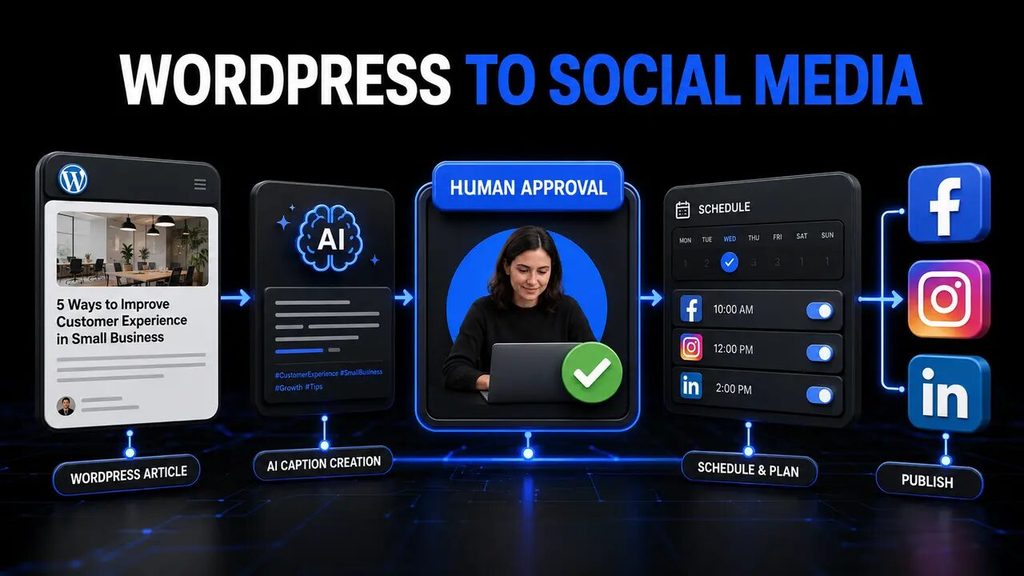
WordPress website owners can combine several tools to create an efficient publishing system.
My recommended beginner setup is:
- WordPress as the content source
- Buffer as the scheduler
- Zapier as the automation connector
- Manual approval before publication
The workflow would be:
New WordPress article → Retrieve title, excerpt, URL and image → Create a Buffer draft → Review caption → Schedule post.
This is easier to manage than immediately building a complicated AI automation.
Once the first workflow operates reliably, AI can be added to generate different captions for each platform.
A more advanced Make workflow could:
- Identify the article category
- Retrieve the featured image
- Create platform-specific captions
- Check for missing information
- Send content for approval
- Route posts to different accounts
- Record publication status
- Send an error notification
If you are deciding between the two automation engines, read Tool Habour’s complete Zapier vs Make comparison.
Best AI tool for Facebook and Instagram automation
Buffer is the easiest recommendation for straightforward Facebook and Instagram scheduling.
Metricool is better when you also need:
- Detailed analytics
- Competitor tracking
- Performance reports
- Advertising information
- A unified brand dashboard
Publer is another strong option when AI captions, hashtags and bulk scheduling are priorities.
Before connecting Instagram to a third-party tool, confirm the account requirements. Certain publishing features may require an Instagram Business or Creator account connected correctly to Meta.
Businesses should also be careful when automating comments and messages. AI can prepare suggested replies, but a person should handle complaints, refunds and emotionally sensitive conversations.
Best free AI social media automation tool
The best free platform depends on your intended workflow.
Choose Buffer Free if:
- You manage three channels or fewer
- You want the easiest interface
- You need AI writing assistance
- Basic scheduling is sufficient
Choose Metricool Free if:
- You manage one brand
- Twenty monthly scheduled posts are enough
- You want basic analytics
- You do not require LinkedIn or X
Choose Zapier Free if:
- You need one simple connection
- Your workflow will use fewer than 100 monthly tasks
- You want to test WordPress-to-Buffer automation
Choose Make Free if:
- You need more workflow flexibility
- You are comfortable learning technical concepts
- You need a larger monthly allowance
- You want visual routing and filters
For most beginners, Buffer is the best free AI social media automation tool because it combines simplicity, scheduling and AI writing assistance.
How to choose an AI social media automation tool
Consider the following factors before choosing a platform.
Number of brands
Some tools charge by channel, while others charge by brand, user or workspace.
A platform that is affordable for one brand may become expensive when managing five different businesses.
Supported platforms
Confirm that the tool supports the exact social networks and content formats you require.
Do not assume that support for Instagram automatically includes every type of Reel, Story or carousel.
Monthly content volume
A limit of 20 scheduled posts may work for one small brand but will not support daily publishing across several platforms.
AI capabilities
Determine whether you need:
- Content ideas
- Caption generation
- Hashtags
- Translation
- Comment replies
- Image generation
- Content repurposing
- Analytics recommendations
Approval workflow
If several people create content, select a platform supporting drafts, approvals and appropriate permissions.
Analytics
A basic scheduler may be sufficient initially. Growing businesses may require:
- Engagement analysis
- Link clicks
- Competitor tracking
- Campaign reports
- Advertising insights
- Historical performance data
Ease of use
The most powerful tool is not always the best choice. A platform has little value if it is too complicated to use consistently.
Total monthly cost
Calculate all related expenses:
- Scheduler subscription
- Automation platform
- AI API usage
- Design software
- Extra social accounts
- Team members
- Optional add-ons
Begin with Free plans and upgrade only after a real limitation slows down your work.
Recommended AI social media workflow for small businesses
A safe beginner workflow should include human approval.
Step 1: Publish original content
Publish a complete, proofread article on WordPress.
Step 2: Retrieve the article information
Use Zapier or Make to retrieve:
- Title
- Excerpt
- URL
- Category
- Featured image
Step 3: Generate platform-specific drafts
Use an AI assistant to prepare separate captions.
For example:
- Facebook: Conversational and informative
- LinkedIn: Professional and insight-focused
- Instagram: Concise, visual and hashtag-friendly
- X: Short and direct
Step 4: Review every caption
Check:
- Accuracy
- Spelling
- Brand voice
- URLs
- Factual claims
- Hashtags
- Image selection
- Call to action
Step 5: Schedule approved posts
Send the final content to Buffer, Metricool or Publer.
Step 6: Monitor performance
Measure:
- Reach
- Engagement
- Link clicks
- Website visits
- Leads
- Sales
Step 7: Improve the next campaign
Use performance data to improve:
- Posting times
- Headlines
- Visuals
- Caption length
- Calls to action
- Platform selection
Automation improves consistency, but a clear content strategy produces results.
Social media automation mistakes to avoid
Publishing without human approval
AI-generated content can contain incorrect or inappropriate statements. Review content before publication.
Copying the same caption everywhere
Every platform has a different audience and content style. Create appropriate variations.
Automating sensitive customer replies
Do not allow AI to independently manage serious complaints, refunds or disputes.
Ignoring platform policies
Unnatural or spam-like automation can result in restrictions.
Posting too frequently
Publishing more content does not automatically improve performance. Quality remains more important than quantity.
Choosing a platform only for its AI feature
Scheduling reliability, supported platforms and analytics may be more valuable than automated captions.
Paying for unnecessary features
A new solo business normally does not require an expensive enterprise system.
Ignoring website traffic
Likes and comments are not the only results that matter. Track how much traffic, how many leads and how many sales social media produces.
Failing to secure connected accounts
Use strong passwords and two-factor authentication. Remove integrations you no longer use.
Best AI social media automation tools: final verdict
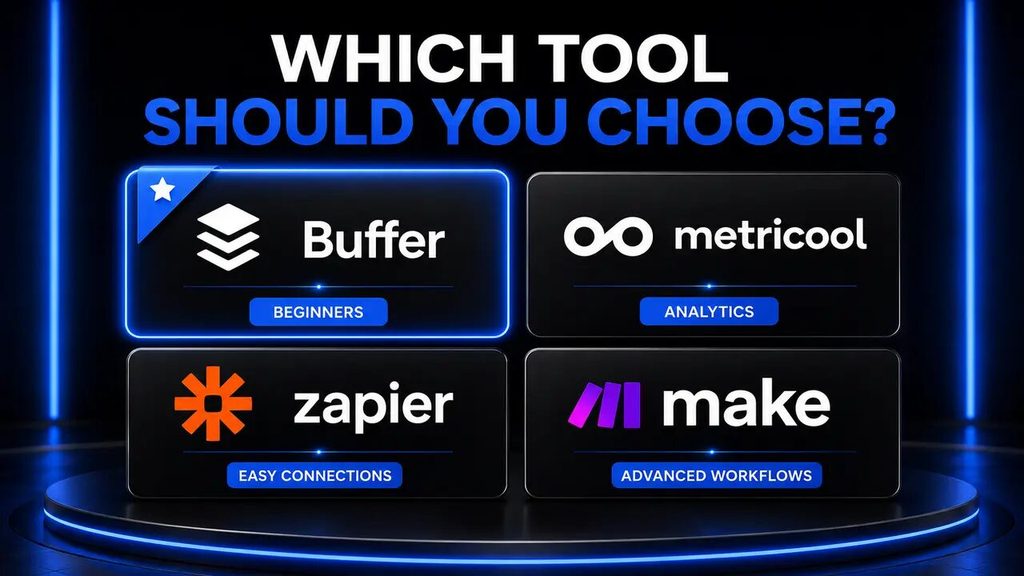
Buffer is the best overall starting option for most small businesses in 2026.
It offers a beginner-friendly interface, support for popular platforms, scheduling and AI writing assistance. Its Free plan allows new businesses to test social-media management before subscribing.
Metricool is the stronger option when analytics, competitor tracking and reporting become priorities.
Publer is a suitable choice for bulk scheduling, multilingual publishing and AI-assisted content creation.
Hootsuite offers powerful management and collaboration capabilities, but its cost makes it more appropriate for established teams.
Zapier is the easiest way to connect WordPress and other business applications to a social-media scheduler.
Make becomes valuable when the workflow develops into an advanced content system involving AI, filters, multiple brands and conditional routes.
My recommended progression is:
- Start with Buffer Free.
- Connect your three most important channels.
- Create and approve posts manually.
- Test a basic WordPress connection with Zapier.
- Monitor whether the workflow saves time.
- Consider Make when you require advanced routing.
- Upgrade only when a Free-plan limitation affects productivity or results.
The best AI social media automation tools should save time without taking control away from the business owner.
Frequently asked questions
What is the best AI social media automation tool for beginners?
Buffer is the strongest beginner option because it combines straightforward scheduling, AI writing assistance and a permanent Free plan.
What is the best free AI social media automation tool?
Buffer is best for simple scheduling across up to three channels. Metricool is useful for one brand with basic analytics, while Make offers more advanced workflow automation.
Can AI manage all my social-media accounts automatically?
AI can help generate content, schedule posts and analyse results. Businesses should retain human control over approval, customer complaints and sensitive communication.
Can AI automatically post WordPress articles to Facebook?
Yes. WordPress can connect to Facebook directly or through tools such as Buffer, Zapier and Make. A draft-and-approval workflow is safer than immediate publication.
Is Buffer better than Metricool?
Buffer is easier for beginners. Metricool is more suitable for businesses prioritising analytics, competitor monitoring and detailed reports.
Is Publer good for small businesses?
Yes. Publer can help small businesses create captions, generate hashtags, schedule content in bulk and manage several social networks.
Is Hootsuite worth it for a small business?
Hootsuite may be worthwhile for an established business that needs advanced analytics, collaboration and social listening. A new solo business may receive better value from Buffer or Metricool.
Is Zapier a social-media scheduling tool?
No. Zapier is an automation platform connecting applications. It can send WordPress content to a scheduling platform such as Buffer.
Is Make better than Zapier?
Make provides more visual control and a larger free allowance. Zapier is generally easier for straightforward beginner workflows.
Should businesses automate comment replies?
AI can suggest responses to routine comments, but humans should approve them. Sensitive messages, disputes and complaints require personal attention.
Are social-media automation tools safe?
Reputable platforms can be used safely when permissions are reviewed and accounts are protected. Enable two-factor authentication and remove integrations that are no longer required.
Will automation increase my followers?
Automation can improve consistency and save time, but it cannot guarantee follower growth. Content quality, relevance, audience understanding and engagement remain essential