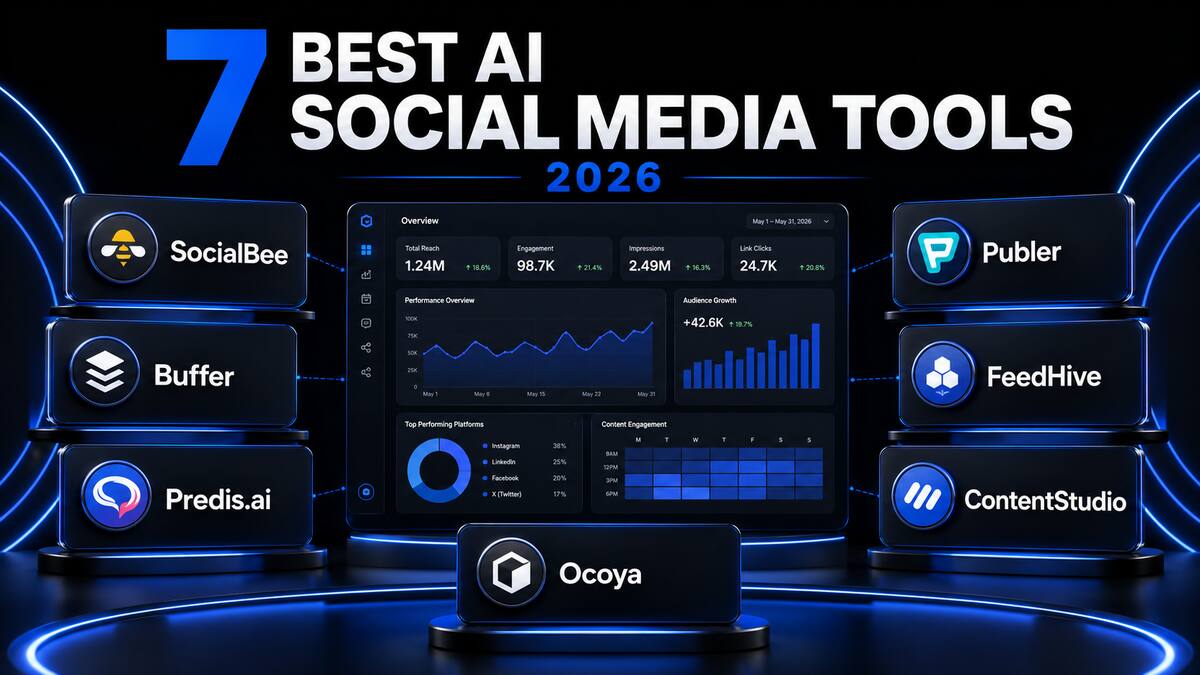
7 Best AI Social Media Management Tools for Small Businesses in 2026
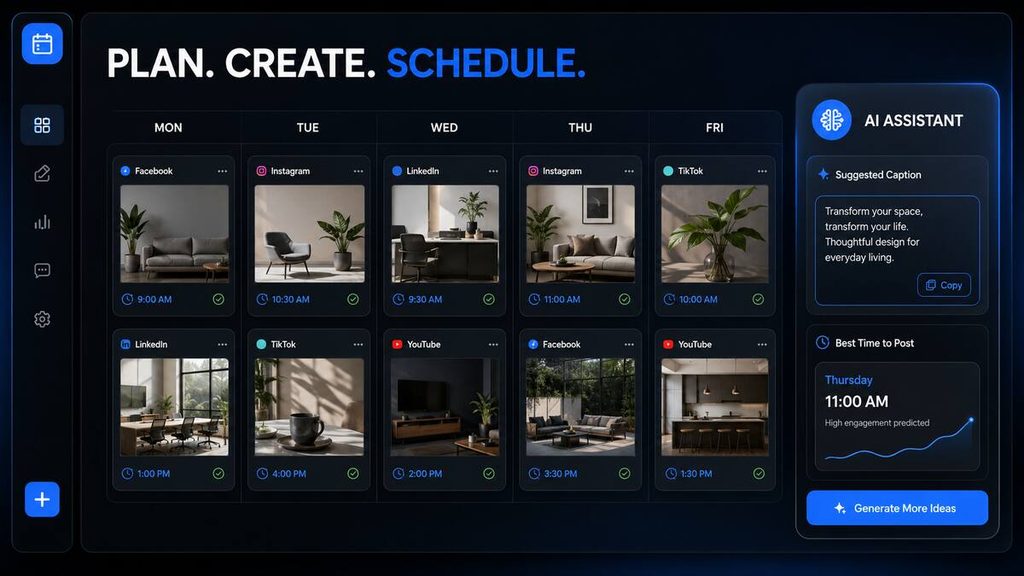
Managing social media can become a full-time job. Small-business owners must create content, write captions, design images, schedule posts, answer comments and study analytics—often while managing the rest of the business.
The best AI social media management tools can reduce this workload by helping you generate content ideas, write captions, schedule posts, repurpose successful content and manage several social-media accounts from one dashboard.
After comparing the features, pricing, usability and target users of leading platforms, my top recommendation for most small businesses is SocialBee. It offers a strong combination of AI content creation, scheduling, content categories, analytics and multi-platform management.
However, SocialBee will not be the best choice for everyone:
- Choose Buffer if you want the easiest option for beginners.
- Choose Predis.ai if AI-generated images and videos are your priority.
- Choose Publer if you want an affordable scheduling platform.
- Choose FeedHive if you want content recycling and AI-assisted publishing.
- Choose ContentStudio if you manage several brands or clients.
- Choose Ocoya if you want AI content creation and scheduling in one workspace.
Transparency notice: This article currently contains no affiliate links. Any links lead to the tools’ official websites, and Tool Habour does not earn a commission from them. If affiliate links are added later, this disclosure will be updated.
Table of Contents
What Is an AI Social Media Management Tool?
An AI social media management tool is software that helps businesses create, organise, schedule, publish and analyse social-media content.
Traditional scheduling tools mainly allowed users to prepare posts and publish them at a selected time. Modern AI-powered platforms can assist with a much wider range of tasks, including:
- Generating social-media content ideas
- Writing and rewriting captions
- Creating hashtags
- Producing images or short videos
- Adapting one post for different platforms
- Recommending suitable publishing times
- Recycling successful evergreen content
- Organising a content calendar
- Producing performance reports
- Managing comments and messages
These features can be valuable for a small business that cannot afford a full marketing department.
AI does not guarantee engagement, followers or sales. However, the right platform can make it easier to publish consistently and spend less time completing repetitive tasks.
Best AI Social Media Management Tools Compared
| Tool | Best for | AI content writing | Scheduling | Images or video | Free option |
|---|---|---|---|---|---|
| SocialBee | Best overall | Yes | Yes | Yes | 14-day trial |
| Buffer | Beginners | Yes | Yes | Limited | Free plan |
| Predis.ai | AI posts, images and videos | Yes | Yes | Yes | Limited free access |
| Publer | Affordable scheduling | Yes | Yes | Media support | Free plan |
| FeedHive | Content recycling | Yes | Yes | AI visuals | Trial |
| ContentStudio | Agencies and multiple brands | Yes | Yes | Yes | Trial |
| Ocoya | All-in-one content creation | Yes | Yes | Yes | 7-day trial |
Pricing and plan features can change. Always confirm the latest information on the official website before subscribing.
1. SocialBee — Best AI Social Media Management Tool Overall
SocialBee is my top overall recommendation because it combines AI-powered content creation with scheduling, content organisation, analytics and account management.
Its AI assistant can help develop a social-media strategy, generate captions and adapt content for different platforms. This makes it suitable for business owners who want more guidance than a basic scheduler provides.
SocialBee’s content-category system is particularly useful. Instead of filling a calendar with random posts, you can organise content into categories such as:
- Educational tips
- Product promotions
- Customer testimonials
- Industry news
- Blog articles
- Behind-the-scenes content
This can help maintain a balanced social-media calendar and prevent your account from becoming too promotional.
SocialBee says its platform can generate posts, captions, images and hashtags, while also supporting scheduling, analytics and engagement management. Its entry-level Bootstrap plan currently starts at $29 per month, and the company offers a 14-day trial without requiring a credit card. View SocialBee’s features and current pricing.
Key features
- AI-powered social-media strategy
- Caption and post generation
- Hashtag suggestions
- Content categories
- Visual content calendar
- Multi-platform scheduling
- Post recycling
- Analytics and reporting
- Team collaboration
- Social inbox
Advantages
- Excellent balance of AI and scheduling features
- Suitable for small businesses and creators
- Helps users build an organised content strategy
- Supports evergreen content recycling
- Manages several accounts from one dashboard
Disadvantages
- No permanent free plan
- More expensive than basic schedulers
- The number of features may initially feel overwhelming
Who should use SocialBee?
SocialBee is best for small businesses that want an organised, all-in-one social-media system rather than a simple publishing calendar.
Tool Habour verdict: Best overall AI social media management tool for small businesses.
2. Buffer — Best for Beginners
Buffer is one of the easiest social-media management platforms to understand. Its clean interface makes it a strong choice for beginners, individual creators and small businesses that want to start scheduling posts without navigating a complicated dashboard.
Buffer supports publishing to platforms including Facebook, Instagram, TikTok, LinkedIn, Threads, Bluesky, YouTube Shorts, Pinterest, Google Business Profile, Mastodon and X.
Its AI Assistant can generate new posts, rewrite existing captions, shorten text and adjust the tone for a particular audience.
Buffer also offers a content calendar, analytics, an engagement inbox and team-approval features. The free plan supports up to three channels, while the paid Essentials plan currently starts at $5 per channel per month when billed annually. View Buffer’s official features and pricing.
Key features
- AI caption assistant
- Multi-platform scheduling
- Visual publishing calendar
- Post queue
- Analytics
- Community inbox
- Team collaboration
- Link-in-bio landing page
- Free plan
Advantages
- Easy for beginners
- Clean and uncluttered dashboard
- Useful free plan
- Supports many popular platforms
- Pay-per-channel pricing can suit small operations
Disadvantages
- Costs increase as you connect more channels
- Not as focused on AI image and video creation as Predis.ai
- Advanced social listening is not its primary strength
Who should use Buffer?
Buffer is best for beginners, creators and small businesses that want a reliable scheduler with helpful AI writing features.
Tool Habour verdict: Best beginner-friendly AI social-media tool.
3. Predis.ai — Best for Creating AI Social Media Posts
Predis.ai focuses heavily on creating visual social-media content. It can turn a short description into posts containing captions, images, carousels or videos.
For example, a small restaurant could enter a prompt describing a weekend promotion. Predis.ai could then produce a caption, promotional design and suitable content format.
This makes it different from platforms that mainly schedule content you have already created. Predis.ai attempts to handle more of the creative production process.
The platform supports branded content, competitor analysis, content scheduling and automatic publishing. Its current paid options use a credit-based system, so businesses should estimate how many images and videos they expect to generate before selecting a plan. See Predis.ai and current plan details.
Key features
- AI image generation
- AI video creation
- Caption generation
- Carousel creation
- Social-media templates
- Brand-kit support
- Competitor analysis
- Content scheduling
- Automatic publishing
- Ad-creative generation
Advantages
- Produces both written and visual content
- Useful for Instagram, Facebook and short-form video
- Can create several parts of a post from one prompt
- Helpful for businesses without a graphic designer
- Strong AI advertising features
Disadvantages
- AI-generated designs still require human review
- Credit limits can restrict frequent content creation
- Generated posts may occasionally feel generic
- More editing may be required to maintain a distinctive brand
Who should use Predis.ai?
Predis.ai is suitable for small businesses that need help producing images, videos, carousels and captions rather than only scheduling finished content.
Tool Habour verdict: Best for AI-generated social-media posts and visual content.
4. Publer — Best Affordable AI Social Media Scheduler
Publer is a strong option for businesses that want useful publishing features without paying for a large, agency-focused platform.
It includes an AI assistant, calendar planner, bulk scheduling, analytics, workspaces and link-in-bio tools. It also supports major networks such as Facebook, Instagram, LinkedIn, TikTok, YouTube, X and Google Business Profile.
One valuable feature is bulk scheduling. Businesses can prepare several posts in advance instead of manually creating one post at a time.
Publer’s free plan currently supports up to three social accounts, although X accounts are excluded from that free tier. Paid plans unlock additional functionality and higher limits. View Publer and its official plan information.
Key features
- AI writing assistant
- Content calendar
- Bulk scheduling
- Multi-platform publishing
- Analytics
- RSS-feed automation
- Team workspaces
- Link-in-bio page
- Browser extension
- Free plan
Advantages
- Affordable entry point
- Free plan for testing the platform
- Strong scheduling capabilities
- Helpful bulk-publishing features
- Supports several popular platforms
Disadvantages
- Some integrations require a paid plan
- Free accounts have restrictions
- Visual-content generation is not as advanced as Predis.ai
- Costs depend on connected accounts and selected features
Who should use Publer?
Publer is best for solopreneurs, bloggers and small businesses that prioritise affordable scheduling and practical automation.
Tool Habour verdict: Best budget-friendly AI social-media scheduler.
5. FeedHive — Best for Content Recycling
FeedHive is designed to help creators and businesses produce, schedule and reuse social-media content.
Its AI tools can help generate captions, improve existing copy and produce new visual ideas. It also offers smart scheduling, approval workflows and team collaboration.
The platform is particularly valuable for businesses that create evergreen content. An educational tip, blog post or useful guide may remain relevant for months. FeedHive can help reuse that content rather than forcing the business to create every post from the beginning.
FeedHive’s Creator plan currently starts at €15 per month when billed annually and supports four social accounts. Higher plans provide more accounts and features for brands, businesses and agencies. View FeedHive’s AI features and current pricing.
Key features
- AI caption generation
- AI rewriting
- AI visual creation
- Smart scheduling
- Content recycling
- Approval workflows
- Team collaboration
- Performance predictions
- Social-media analytics
Advantages
- Strong content-repurposing capabilities
- Useful for evergreen posts
- Clean workflow for teams
- AI helps improve existing content
- Suitable for creators and growing brands
Disadvantages
- No permanent free plan
- Entry-level account limits may be restrictive
- Less suitable for businesses that need a complete social inbox
- Some advanced functionality requires higher plans
Who should use FeedHive?
FeedHive is best for content creators, personal brands and businesses that want to reuse successful posts and maintain a consistent publishing schedule.
Tool Habour verdict: Best AI tool for recycling evergreen social-media content.
6. ContentStudio — Best for Agencies and Multiple Brands
ContentStudio is a more comprehensive social-media management platform for businesses, marketing teams and agencies.
It combines publishing, content discovery, AI creation, analytics, collaboration and engagement management. Its unified inbox allows teams to manage comments, messages and mentions without repeatedly switching between platforms.
ContentStudio’s AI Studio combines AI writing, image generation, video creation and scheduling. It can therefore help users move from an initial idea to publishable content within the same environment.
The platform also supports bulk scheduling through CSV files, which can save considerable time when managing large content calendars. View ContentStudio’s features and AI Studio.
Key features
- AI caption writing
- AI images and videos
- Content discovery
- Multi-platform scheduling
- Bulk scheduling
- Unified social inbox
- Competitor analytics
- Team approvals
- Client workspaces
- Automated reports
Advantages
- Comprehensive feature set
- Suitable for managing multiple brands
- Strong reporting and analytics
- Includes engagement-management features
- Useful approval and collaboration tools
Disadvantages
- More complicated than Buffer
- Smaller businesses may not need every feature
- Advanced add-ons can increase the monthly cost
- Requires time to configure correctly
Who should use ContentStudio?
ContentStudio is best for agencies, marketing teams and growing businesses that manage multiple accounts, brands or clients.
Tool Habour verdict: Best AI social-media management platform for agencies.
7. Ocoya — Best All-in-One AI Content Workspace
Ocoya combines AI content creation, scheduling, templates and social-media management in one workspace.
Users can generate post ideas, write captions, work with platform-ready templates and schedule content across supported networks. It is designed to reduce the need to move repeatedly between an AI writer, a design application and a scheduling platform.
Ocoya’s Bronze plan currently starts at $19 per month and includes one workspace, one user, five social profiles and 100 credits. A seven-day trial is available, while higher plans support more users, workspaces, profiles and AI credits. View Ocoya and official pricing.
Key features
- AI content writing
- Social-media templates
- Image creation
- Multi-platform scheduling
- Content calendar
- Analytics
- Team workspaces
- E-commerce integrations
- Hashtag generation
- Multiple language support
Advantages
- Combines content creation and publishing
- Suitable for visual platforms
- Offers ready-made templates
- Supports teams and multiple workspaces
- Reduces switching between different applications
Disadvantages
- Uses a credit system
- Entry-level limits may be restrictive
- AI content requires editing and fact-checking
- Some businesses may prefer specialised tools
Who should use Ocoya?
Ocoya is best for freelancers and small marketing teams that want to generate and schedule content inside one platform.
Tool Habour verdict: Best all-in-one AI content and scheduling workspace.
What Can AI Social Media Tools Automate?
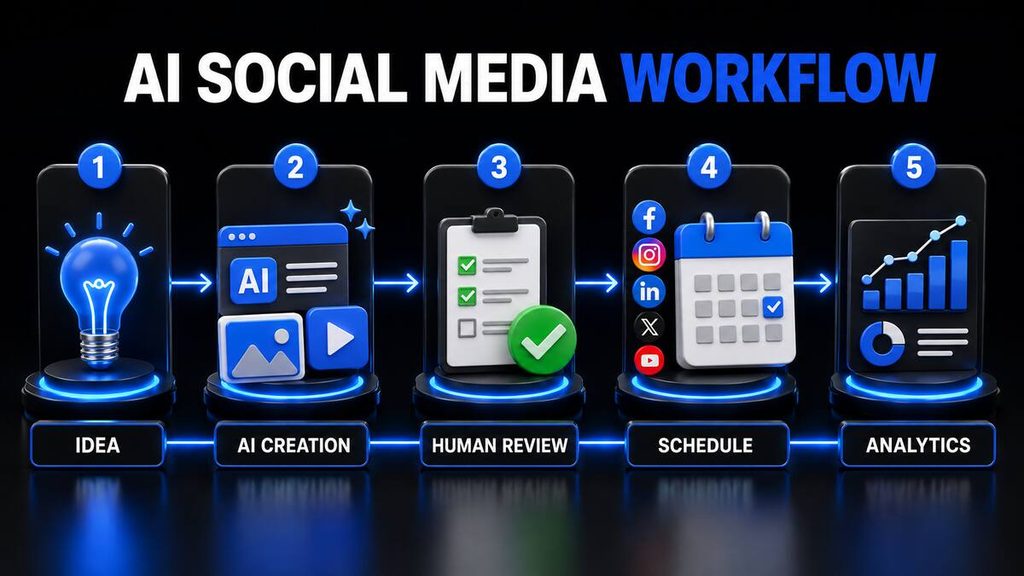
The best AI social media management software can automate several repetitive tasks, but businesses should understand what should and should not be automated.
Content ideas
AI can suggest content topics based on your industry, audience and marketing goal. This is useful when you do not know what to publish.
Caption writing
A platform can generate a first draft, shorten it, change its tone or adapt it for another social network.
You should still edit the caption to ensure that it sounds natural and accurately represents your business.
Scheduling
Posts can be prepared days or weeks in advance and automatically published at selected times.
Cross-platform adaptation
A long LinkedIn post may not work as an Instagram caption or short X post. AI can adapt the wording and length for different platforms.
Hashtag suggestions
AI tools can recommend relevant hashtags. These suggestions should be checked because popular hashtags are not always relevant or valuable.
Content recycling
Evergreen posts can be republished or rewritten after a suitable period. Avoid repeatedly posting identical content within a short time.
Reporting
Some platforms can organise performance information into reports, making it easier to understand engagement, reach and follower growth.
Responding to customers
AI may help draft answers to comments and messages. Sensitive complaints, refunds and personal customer issues should still be handled by a person.
How to Choose the Best AI Social Media Management Tool
Do not choose a platform simply because it has the longest feature list. The right tool should solve the specific problems affecting your business.
1. Identify your biggest problem
Ask what consumes most of your time:
- Finding content ideas
- Writing captions
- Designing images
- Producing videos
- Scheduling posts
- Managing comments
- Creating reports
- Managing multiple clients
If visual creation is the problem, Predis.ai may be more helpful than a basic scheduler. If consistent publishing is the problem, Buffer or Publer may be sufficient.
2. Count your social accounts
Some platforms charge per channel, while others include a fixed number of profiles.
Calculate the cost using the exact number of Facebook pages, Instagram accounts, LinkedIn pages, TikTok profiles and other channels you intend to connect.
3. Check supported platforms
Do not assume every tool supports every post type.
Confirm support for:
- Instagram Reels
- Facebook Groups
- TikTok videos
- YouTube Shorts
- LinkedIn company pages
- Google Business Profile
- X
- Threads
API restrictions may affect what third-party tools can publish.
4. Decide whether you need visual generation
Some businesses already use Canva or employ a designer. In that case, advanced AI design features may be unnecessary.
However, Predis.ai, ContentStudio or Ocoya may offer more value if you want one platform to generate both captions and visuals.
5. Look for approval controls
Automatic publishing saves time, but it can also publish mistakes.
Businesses should ideally use a workflow such as:
- AI generates a draft.
- A person checks facts and spelling.
- The post is adjusted to match the brand voice.
- A person approves it.
- The platform publishes it.
- Performance is reviewed.
6. Test before paying annually
Start with a free plan or trial whenever possible.
Create several real posts, connect your most important account and test the complete workflow before choosing an annual subscription.
Can AI Replace a Social Media Manager?
AI can automate parts of social-media management, but it should not completely replace human judgment.
AI is useful for:
- Generating first drafts
- Suggesting ideas
- Rewriting content
- Scheduling posts
- Organising calendars
- Summarising analytics
- Repurposing existing material
A person is still needed for:
- Brand strategy
- Fact-checking
- Customer complaints
- Sensitive announcements
- Cultural context
- Humour and personality
- Crisis communication
- Final approval
The most effective approach is usually to treat AI as an assistant rather than an unsupervised employee.
A platform may produce content quickly, but publishing more content does not automatically create a stronger brand. Quality, relevance, trust and consistency remain more important than volume.
Best AI Social Media Management Tools: Final Verdict
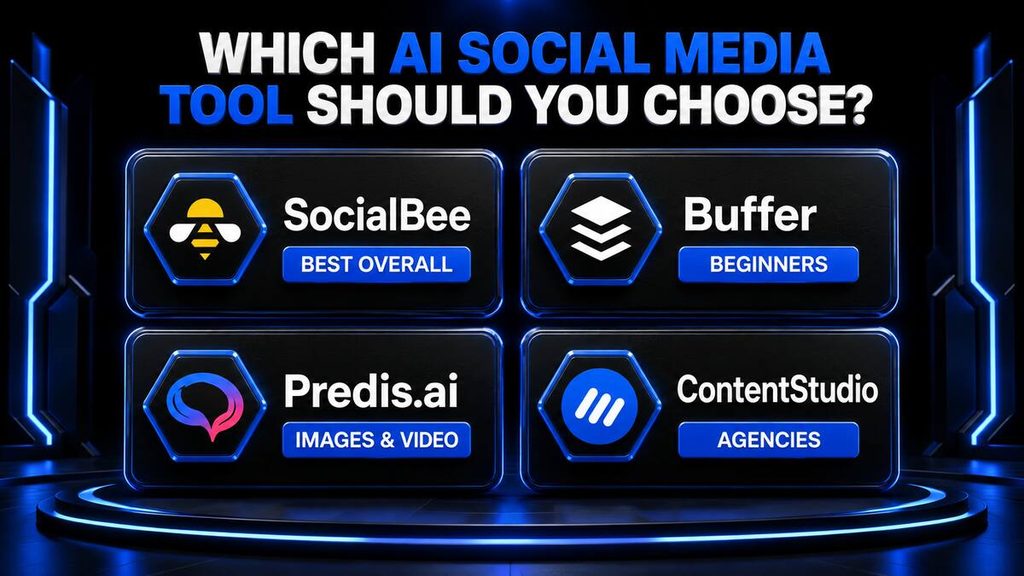
The best platform depends on your budget, experience and content strategy.
Choose SocialBee if:
- You want the best overall balance of features.
- You need help creating a social-media strategy.
- You want content categories and evergreen recycling.
- You manage several platforms.
Choose Buffer if:
- You are a beginner.
- You want a simple interface.
- You need a useful free plan.
- You already create your own images.
Choose Predis.ai if:
- You need AI-generated images and videos.
- You publish frequently on Instagram or Facebook.
- Visual-content production is your biggest challenge.
- You want to create posts from short prompts.
Choose Publer if:
- You need affordable scheduling.
- You want to schedule content in bulk.
- You are a blogger, solopreneur or small business.
- You want to test a free plan.
Choose FeedHive if:
- You produce evergreen content.
- You want to recycle successful posts.
- You manage a personal brand.
- AI-assisted writing is important.
Choose ContentStudio if:
- You manage multiple brands or clients.
- You need collaboration and approval tools.
- You want detailed reporting.
- You need a unified inbox.
Choose Ocoya if:
- You want content creation and scheduling together.
- You prefer an all-in-one workspace.
- You need templates and AI writing.
- You manage several social profiles.
For most small businesses, SocialBee is the strongest all-round choice. Buffer is the safest starting point for beginners, while Predis.ai offers the most appealing option for businesses that need AI-generated visual content.
Do not purchase a yearly subscription immediately. Start with a trial, connect one or two real accounts and test whether the tool genuinely improves your workflow.
Frequently Asked Questions
What is the best AI social media management tool?
SocialBee is the best overall option in this comparison because it combines AI content creation, scheduling, content categories, analytics and multi-platform management. Buffer may be better for beginners, while Predis.ai is stronger for AI-generated visual content.
Is there a free AI tool for social media management?
Buffer and Publer offer free plans with limitations. They can be suitable for beginners managing a small number of accounts. Features and free-plan limits may change, so verify the latest conditions before registering.
Can AI create social-media posts automatically?
Yes. AI tools can generate captions, images, hashtags and content ideas. Certain platforms can also schedule or automatically publish the finished posts. Every post should be reviewed before publication.
Which AI tool is best for Instagram posts?
Predis.ai is a strong option for Instagram because it can generate captions, images, carousels and short videos. The best choice still depends on your preferred content formats and publishing frequency.
Which social-media tool is easiest for beginners?
Buffer is one of the easiest platforms for beginners. It has a clean interface, a free plan and straightforward scheduling features.
Can AI manage all my social-media accounts?
AI software can help manage publishing, calendars and analytics across several networks. Support depends on the platform and account type. Some tasks, particularly customer complaints and sensitive messages, still require human attention.
Are AI social-media tools worth paying for?
They can be worth paying for if they save several hours each month, improve consistency or replace multiple separate applications. A paid platform is unlikely to be worthwhile if you manage only one account and publish occasionally.
Should I let AI publish posts automatically?
Automatic publishing is helpful after a post has been reviewed. Avoid giving AI complete control without approval because generated content can contain incorrect facts, unsuitable wording or inconsistent brand messaging.