ChatGPT Free vs ChatGPT Plus: Is the Paid Plan Worth It in 2026?
ChatGPT Free vs ChatGPT Plus—which plan should you choose in 2026?
After personally using both plans, I believe ChatGPT Plus is the better option for people who regularly use AI for writing, research, coding, image generation or online business. The Free plan is still a sensible starting point for beginners, but its usage limits can interrupt more demanding workflows.
My experience has been straightforward: ChatGPT Plus gives me better overall results, particularly for long-form articles, research, images, coding and website creation. However, I have not noticed a significant speed difference, and both plans have followed my instructions at a similar level.
This comparison examines the differences between ChatGPT Free and ChatGPT Plus, who each plan is suitable for and whether upgrading is worth the monthly cost.
Transparency note: This article is based partly on my personal experience using both ChatGPT Free and ChatGPT Plus. Features, models, availability and usage limits can change. Always confirm current details on the official ChatGPT website before subscribing. This article does not currently contain affiliate links.
Table of Contents
ChatGPT Free vs ChatGPT Plus: quick verdict
ChatGPT Free is the better starting point for beginners, occasional users and anyone who wants to test ChatGPT before spending money.
ChatGPT Plus is better for frequent users who rely on ChatGPT for serious or repeated work. It provides higher limits, broader access to models and advanced capabilities, and fewer interruptions during demanding workflows.
Based on my own experience, I would choose ChatGPT Plus. I use ChatGPT for:
- Writing blog articles
- Conducting research
- Generating images
- Building websites
- Writing and fixing code
- Planning online businesses
- Answering everyday questions
The Free plan can handle many of these tasks, but its restrictions become noticeable when ChatGPT forms part of your daily workflow.
My quick recommendation is:
- Choose ChatGPT Free if you are a beginner or occasional user.
- Choose ChatGPT Plus if you already use ChatGPT regularly or depend on it for work.
- Try the Free plan first if you are still uncertain.
- Upgrade when the Free plan’s limits begin disrupting productive work.
ChatGPT Free vs ChatGPT Plus comparison table
| Feature | ChatGPT Free | ChatGPT Plus | My preference |
|---|---|---|---|
| Monthly price | Free | $20 per month | Depends on usage |
| General answers | Good for everyday questions | Better for demanding work | Plus |
| Long-form writing | Suitable for basic writing | Better for detailed articles | Plus |
| Instruction-following | Generally capable | Generally capable | Tie |
| Research | Useful with restrictions | Better for extended research | Plus |
| Image generation | Limited availability and usage | More useful for regular creation | Plus |
| Coding | Suitable for smaller tasks | Better for complex coding workflows | Plus |
| Website creation | Can help with basic websites | Better for longer development sessions | Plus |
| Response speed | Generally responsive | Priority and faster access may apply | Similar in my experience |
| Usage limits | More restrictive | Higher limits | Plus |
| Best for | Beginners and occasional users | Frequent and professional users | — |
| Overall verdict | Excellent starting point | Better complete experience | Plus |
OpenAI currently lists ChatGPT Plus at $20 per month. Plan features, model access and usage limits may change, so check OpenAI’s current pricing information before subscribing.
What is ChatGPT Free?
ChatGPT Free is the no-cost version of ChatGPT. It allows people to experience conversational AI without committing to a monthly subscription.
You can use it for tasks such as:
- Asking general questions
- Drafting emails
- Summarising information
- Brainstorming ideas
- Learning new subjects
- Improving existing text
- Planning projects
- Getting basic coding assistance
- Experimenting with AI tools
The main advantage is obvious: it costs nothing.
This makes ChatGPT Free an excellent introduction to AI. A new user can learn how prompts work, test different use cases and decide whether ChatGPT is valuable enough to justify paying for.
However, advanced tools may have separate limits, and availability can depend on demand, account access and product updates. The Free plan becomes less convenient when you need to generate numerous images, upload several files or work through a long project without interruptions.
What is ChatGPT Plus?
ChatGPT Plus is OpenAI’s paid individual subscription. It currently costs $20 per month, billed monthly.
The subscription generally offers broader model access, higher usage allowances and better availability than the Free plan. It is designed for people who want to use ChatGPT more frequently or for more demanding tasks.
Depending on current availability, ChatGPT Plus may provide improved access to capabilities such as:
- Advanced AI models
- Reasoning tools
- Web research
- File uploads and analysis
- Image creation and editing
- Coding assistance
- Voice features
- Projects and memory
- Higher usage limits
- Priority availability during busy periods
It is important to understand that Plus does not necessarily mean unlimited use. Limits can still apply to particular models, tools and features. These allowances can also change over time.
How I compared ChatGPT Free and ChatGPT Plus
I have personally used both plans. My opinion is based on practical tasks rather than feature lists alone.
I use ChatGPT for everyday questions, long-form articles, research, image generation, coding, website development and online-business projects. These activities give me a useful way to compare the two plans under realistic conditions.
I considered the following factors:
- Overall answer quality
- Long-form writing
- Instruction-following
- Research usefulness
- Image generation
- Coding and website creation
- Response speed
- Usage limits
- Reliability during extended work
- Value for money
These conclusions represent my experience. Another person may reach a different verdict depending on their prompts, expectations and workload.
Which plan gives better answers?
In my experience, ChatGPT Plus gives better answers overall.
The difference is most noticeable when a task requires greater depth, organisation or multiple steps. The Free plan is capable of answering everyday questions, but Plus feels more suitable when I need a detailed, usable result.
For example, Plus is more valuable when I ask ChatGPT to:
- Develop a complete content strategy
- Compare several business options
- Analyse a long document
- Create a detailed website plan
- Improve a lengthy article
- Troubleshoot code
- Conduct structured research
This does not mean every Plus response will be perfect. AI-generated information can still contain errors, outdated details or unsupported assumptions. Important claims should always be checked.
Nevertheless, Plus has provided the stronger overall experience for my work.
Winner for answer quality: ChatGPT Plus
ChatGPT Free vs ChatGPT Plus for writing
Both plans can assist with writing, but I prefer ChatGPT Plus for long-form articles.
ChatGPT Free is suitable for:
- Short social-media posts
- Basic emails
- Simple descriptions
- Headlines
- Outlines
- Short summaries
- Brainstorming
ChatGPT Plus becomes more useful when the project requires length, structure and consistency. I use it for complete SEO articles, landing-page copy, detailed comparisons and business content.
The paid plan performs better for my long-form workflow because it is easier to develop an article across several stages. I can create an outline, expand individual sections, improve the introduction, add FAQs and revise the final draft without encountering restrictions as quickly.
That continuity matters. Long-form writing rarely comes from a single prompt. It normally requires several rounds of planning, drafting and editing.
Plus does not automatically guarantee excellent writing. The quality still depends on the prompt, source material, editing process and factual checking. However, it gives me a more practical environment for completing larger writing projects.
Winner for long-form writing: ChatGPT Plus
Which plan follows instructions more accurately?
I found instruction-following to be relatively similar on ChatGPT Free and ChatGPT Plus.
Both plans can follow clear instructions, particularly when a prompt includes:
- A specific objective
- The intended audience
- The required format
- Relevant background information
- Words or topics to avoid
- A clear desired length
- Examples of the preferred style
Both can also misunderstand instructions. This is more likely when a prompt contains conflicting requirements, vague language or too many unrelated tasks.
For better results, I recommend giving ChatGPT instructions in a structured format. For example:
Write a 1,500-word comparison article for beginners. Use a neutral tone, include a table of contents, add a comparison table and finish with five FAQs. Do not invent statistics.
That type of prompt is easier to follow than a broad instruction such as “write me a good article.”
My experience did not show a decisive difference between the two plans in this category.
Winner for instruction-following: Tie
ChatGPT Free vs ChatGPT Plus for research
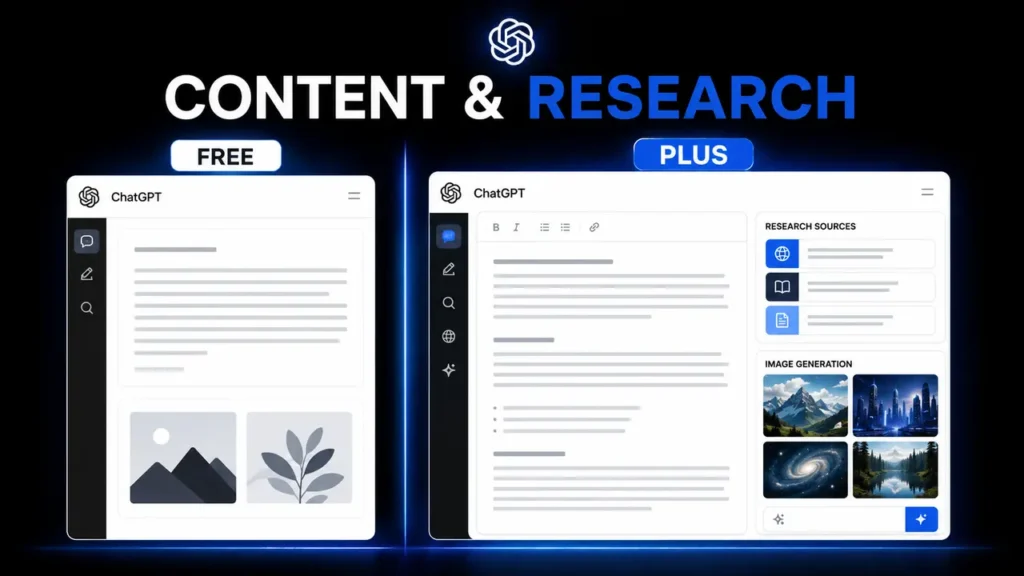
ChatGPT Plus is my preferred plan for research.
I use research to find article topics, understand products, compare tools, explore business opportunities and organise information. Plus gives me a more useful experience when a task requires several sources, follow-up questions or deeper investigation.
The Free plan can help with basic research questions. It can explain a subject, provide search ideas and help organise information you already have.
However, Plus is more suitable for tasks such as:
- Comparing several products
- Investigating a market
- Analysing uploaded documents
- Finding supporting sources
- Exploring different viewpoints
- Developing a research-based article
- Conducting multi-step investigations
Research produced by any AI assistant should still be verified. ChatGPT can misinterpret a source, overlook context or present an incorrect claim confidently.
I treat ChatGPT as a research assistant, not as an unquestionable authority. I use it to speed up discovery and organisation, then confirm important facts using primary or authoritative sources.
Winner for research: ChatGPT Plus
ChatGPT Free vs ChatGPT Plus for image generation
ChatGPT Plus is considerably more useful for my image-generation workflow.
I use AI images for:
- Blog featured images
- In-article graphics
- Website banners
- Social-media posters
- Product mockups
- Marketing concepts
- Brand visuals
The Free plan can allow users to experience image generation, but its limits may become restrictive when producing multiple graphics or revising an image several times.
Image creation often requires more than one attempt. You may need to fix text, change colours, adjust the subject, correct the dimensions or align the design with a brand identity.
Higher access becomes valuable when generating a complete package of images rather than a single experimental graphic. OpenAI notes that image generation consumes more usage than an ordinary text turn, which is another consideration for frequent creators. Read OpenAI’s image-generation guidance.
For someone who only creates an occasional image, Free may be sufficient. For bloggers, marketers and business owners who require regular visual content, Plus is the stronger option.
Winner for image generation: ChatGPT Plus
ChatGPT Free vs ChatGPT Plus for coding and website creation
ChatGPT Plus performs better for my coding and website-building projects.
The Free plan can explain code, write short snippets and assist with common errors. It is helpful for beginners learning HTML, CSS, JavaScript or other programming languages.
Website creation, however, usually requires a longer workflow. A typical project may include:
- Planning the layout
- Writing the initial code
- Testing the design
- Fixing mobile responsiveness
- Connecting buttons and forms
- Correcting errors
- Improving performance
- Revising the design
The Free plan’s restrictions can interrupt this process. ChatGPT Plus is more practical because I can work through more of the project before reaching a limit.
I use Plus for tasks such as:
- Creating WordPress-compatible layouts
- Writing HTML and CSS
- Fixing responsive designs
- Troubleshooting code
- Developing sales pages
- Improving menus and navigation
- Planning website structures
- Reviewing technical errors
AI-generated code still requires testing. A response can contain broken links, security problems, missing dependencies or code that does not work correctly in a particular WordPress theme.
Even with that limitation, Plus is the better choice for my development work.
Winner for coding and websites: ChatGPT Plus
Is ChatGPT Plus faster than ChatGPT Free?
OpenAI presents faster responses and priority availability as benefits of paid access. However, I did not notice a meaningful speed improvement compared with my experience using the Free trial.
For my usual tasks, the response speed felt roughly the same.
Speed can vary depending on:
- The selected model
- The complexity of the prompt
- The tools being used
- Current platform demand
- Whether files or images are involved
- The length of the conversation
A simple question will usually be answered faster than a long research, coding or image-generation task.
Therefore, I would not recommend upgrading solely because you expect every answer to arrive dramatically faster. The more important advantages are higher access, advanced capabilities and fewer interruptions.
Winner for speed in my experience: Tie
ChatGPT Free vs ChatGPT Plus usage limits
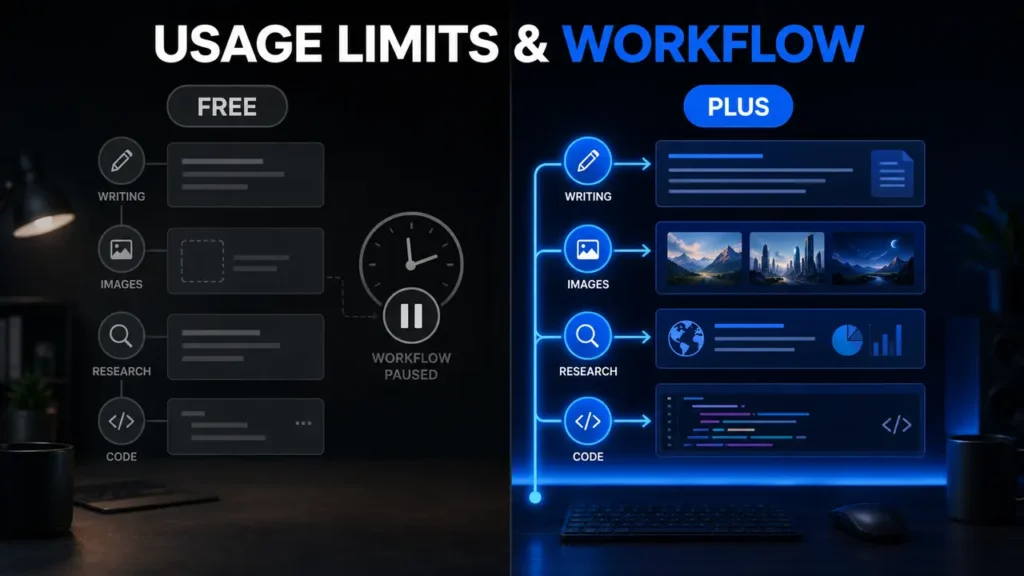
Usage limits are the biggest reason I prefer ChatGPT Plus.
When I reached a limit on the Free plan, I sometimes had to wait for access to reset. That interrupted my workflow. By the time access returned, I occasionally forgot what I had been working on or lost the direction of the project.
This is especially frustrating during:
- Article writing
- Website development
- Research
- Image generation
- Code debugging
- Business planning
An interruption may appear minor, but it can reduce productivity when a task depends on several connected steps.
ChatGPT Plus also has usage policies and plan-dependent allowances, so it should not be described as universally unlimited. However, I have not experienced frustrating limits on Plus in the same way.
Exact limits can vary by model, feature and system demand. OpenAI may change them over time, which is why fixed numbers can quickly become outdated.
Winner for usage allowances: ChatGPT Plus
Is ChatGPT Plus worth $20 per month?
For me, ChatGPT Plus offers good value for money.
I use it across multiple areas rather than for one occasional task. It helps me write, research, generate images, code, build websites, develop business ideas and solve everyday problems.
When one subscription replaces or reduces the need for several separate tools, the monthly price becomes easier to justify.
Plus may be worth the price if it helps you:
- Save several hours every month
- Produce regular content
- Create marketing images
- Research products or markets
- Build and maintain websites
- Learn technical skills
- Complete freelance or business tasks
- Avoid repeated Free-plan interruptions
However, value depends on use. Paying $20 each month would not make sense if you open ChatGPT only once or twice for basic questions.
A subscription should solve a recurring problem or create measurable convenience. Do not upgrade simply because the paid plan exists.
Winner for value among frequent users: ChatGPT Plus
Who should use ChatGPT Free?
ChatGPT Free is suitable for:
- Complete beginners
- Students experimenting with AI
- Occasional users
- People with a limited budget
- Users who ask simple questions
- Anyone uncertain about paying
- People who rarely generate images or upload files
Beginners should start with the Free plan and learn what ChatGPT can do. This provides enough experience to decide whether the paid features will be useful.
Before upgrading, track how often you use ChatGPT for one or two weeks. Notice whether limits regularly stop you from completing tasks.
If you rarely encounter restrictions, remaining on Free may be the smarter financial decision.
Who should upgrade to ChatGPT Plus?
ChatGPT Plus is better suited to:
- Regular ChatGPT users
- Bloggers and content creators
- Freelancers
- Marketers
- Developers
- Website owners
- Researchers
- Entrepreneurs
- People generating frequent images
- Users working with files and long documents
- Anyone repeatedly interrupted by Free-plan limits
In my view, people who have already used ChatGPT and understand how it fits into their workflow are the best candidates for Plus.
Beginners should first test the Free plan. Once they know which tools they need and how frequently they use them, they can make a better subscription decision.
ChatGPT Free vs ChatGPT Plus final verdict
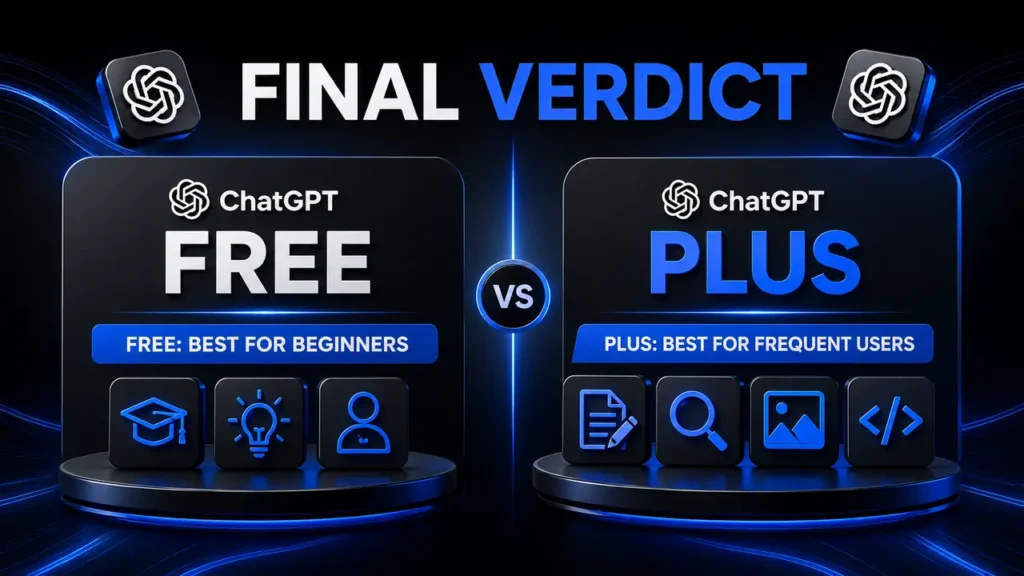
ChatGPT Free is one of the best ways to begin using generative AI without financial risk. It handles everyday questions, basic writing, brainstorming and light assistance effectively.
ChatGPT Plus is the better plan for my needs.
It gives me better results for long-form articles, research, image generation, coding and website creation. The Free plan’s limits interrupted my projects, while Plus provides a smoother working experience.
I did not notice a major difference in speed, and both plans followed my instructions at a similar level. Therefore, my recommendation is based mainly on output quality, tool access and workflow continuity—not speed alone.
My final recommendation is:
- Start with ChatGPT Free if you are a beginner.
- Remain on Free if you use ChatGPT occasionally.
- Upgrade if restrictions repeatedly interrupt your work.
- Choose Plus if ChatGPT contributes to your content, business or professional projects.
For my workload, ChatGPT Plus is worth paying for.
Frequently asked questions
Is ChatGPT Plus better than ChatGPT Free?
ChatGPT Plus is better for frequent and demanding use because it generally provides broader model access, higher limits and improved availability. ChatGPT Free remains suitable for beginners and occasional users.
How much does ChatGPT Plus cost?
ChatGPT Plus currently costs $20 per month, billed monthly. Taxes, currency conversion or app-store pricing may affect the final amount. Confirm the current price before subscribing.
Is ChatGPT Free good enough for beginners?
Yes. ChatGPT Free is the best place for beginners to learn how prompting works and decide whether they will use ChatGPT frequently enough to justify upgrading.
Does ChatGPT Plus give better answers?
In my experience, Plus provides better answers for detailed writing, research, coding and multi-step projects. Results still depend on the model, prompt and task.
Is ChatGPT Plus faster?
OpenAI includes faster responses among the benefits of paid access. However, I personally found the speed similar to my Free-trial experience. Performance can vary by model, task and platform demand.
Can ChatGPT Free generate images?
Free users may receive access to image-generation features, but separate and more restrictive usage limits can apply. Availability may change.
Is ChatGPT Plus unlimited?
No. ChatGPT Plus should not be described as completely unlimited. Model-specific and feature-specific limits may still apply and can change over time.
Is ChatGPT Plus worth it for writing articles?
It is worth considering if you regularly create long-form articles and need several rounds of research, drafting and editing. Occasional writers may find the Free plan sufficient.
Is ChatGPT Plus worth it for coding?
Plus is more useful for extended coding and website-development sessions. However, all AI-generated code should be reviewed and tested before being published.
Can I cancel ChatGPT Plus?
ChatGPT Plus is billed monthly, and subscribers can manage or cancel the subscription through their account settings. Check the applicable billing terms before cancelling.