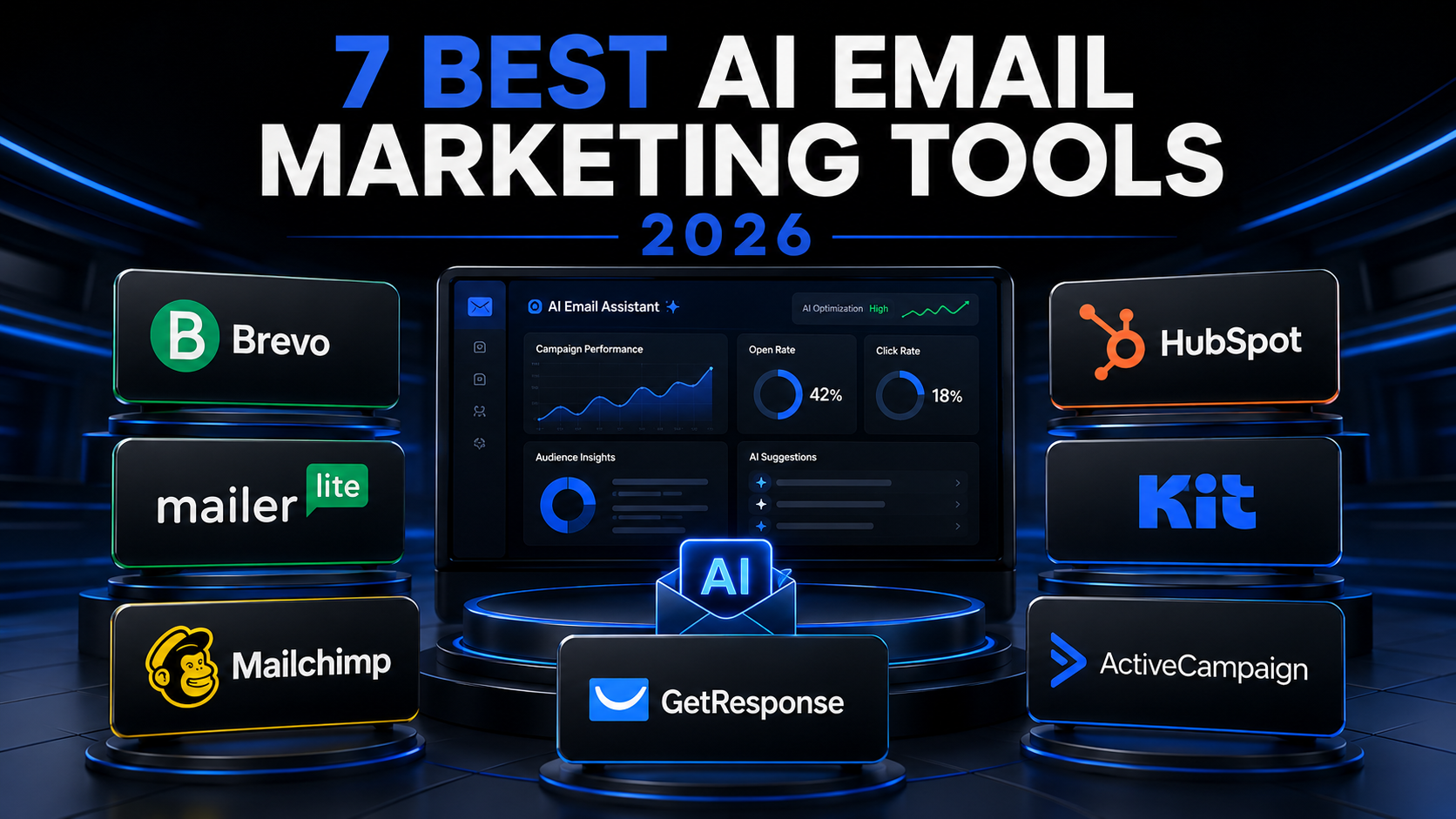
7 Best AI Email Marketing Tools for Small Businesses in 2026
7 Best AI Email Marketing Tools for Small Businesses in 2026
The best AI email marketing tools for small businesses can help you write campaigns, create subject lines, welcome new subscribers, promote products and automate customer communication without hiring a large marketing team.
Modern email platforms offer much more than newsletter delivery. They can provide AI writing assistance, landing pages, signup forms, contact segmentation, automated sequences, customer relationship management and detailed campaign analytics.
In this guide, I compare seven leading AI email marketing tools for small businesses in 2026:
- Mailchimp
- Brevo
- HubSpot
- Kit
- MailerLite
- ActiveCampaign
- GetResponse
The comparison covers AI capabilities, email automation, Free plans, pricing, WordPress integration, advantages, disadvantages and the type of business each platform suits.
Last updated: August 2026
Transparency note: I have not personally tested every platform in this article. This is a researched comparison based on official information published by the providers. Features, prices and plan limits can change. Always confirm the latest information before registering or paying. This article does not currently contain affiliate links.
Table of Contents
Best AI email marketing tools: quick verdict
The best platform depends on the type of business you operate and the complexity of your email strategy.
Here are my recommendations based on the published features and current plans:
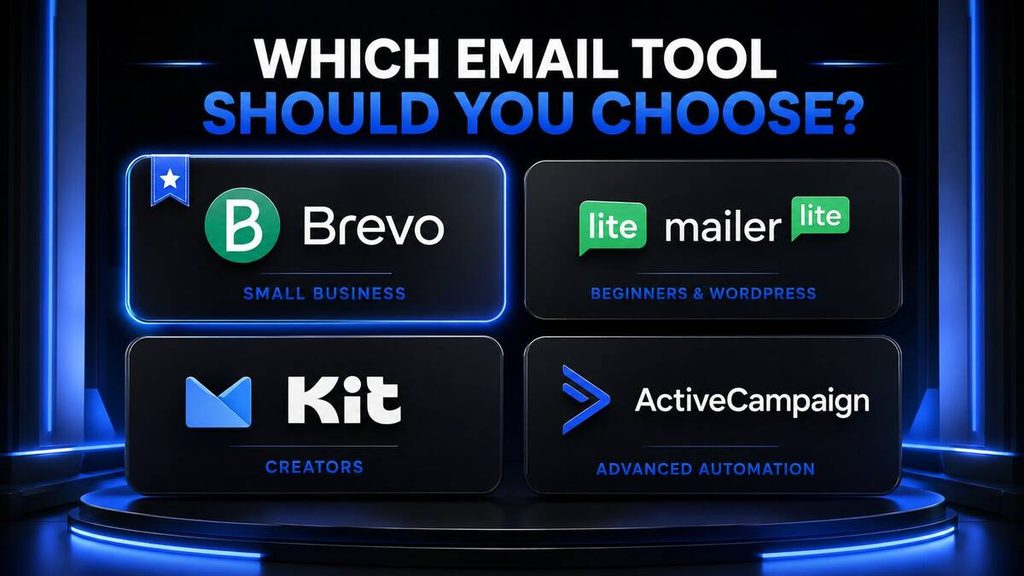
- Brevo: Best overall for small businesses
- MailerLite: Best for beginners and WordPress websites
- Mailchimp: Best for familiar, guided email marketing
- HubSpot: Best for combining email marketing with a CRM
- Kit: Best for creators and newsletter businesses
- ActiveCampaign: Best for advanced automation
- GetResponse: Best for AI-powered campaigns and sales funnels
For a new small business, Brevo is my best overall recommendation because it offers email campaigns, transactional email, SMS capabilities, contact storage and a Free plan allowing up to 300 email sends per day.
MailerLite is the easier alternative for bloggers and WordPress website owners who prioritise simplicity, forms, landing pages and newsletter automation.
Kit is particularly attractive to creators who want to grow and monetise a newsletter.
ActiveCampaign provides the most sophisticated automation in this comparison, but its capabilities and pricing may be excessive for a new business with a small contact list.
AI email marketing tools comparison
| Tool | Best for | Free option | Published Free allowance | Main limitation |
|---|---|---|---|---|
| Brevo | Small businesses | Permanent Free plan | 300 email sends daily and storage for up to 100,000 contacts | Daily sending restriction |
| MailerLite | Beginners and WordPress | Permanent Free plan | 250 subscribers and 2,500 monthly emails | AI writer requires a paid plan |
| Mailchimp | Guided email marketing | Basic Free plan | Up to 250 contacts | Free allowance is restrictive |
| HubSpot | CRM and email marketing | Free tools available | Free email, forms and CRM tools | Advanced automation becomes expensive |
| Kit | Creators and newsletters | Newsletter plan available | Up to 10,000 subscribers under current conditions | Kit-managed recommendation slot applies |
| ActiveCampaign | Advanced automation | 14-day trial | No permanent Free marketing plan | More expensive and complex |
| GetResponse | AI campaigns and funnels | Free option and 14-day trial | Basic newsletter and list-building tools | Advanced AI and automation require payment |
The limits shown above were current when this article was updated. Providers may change plan structures, prices and feature availability.
What is AI email marketing?
AI email marketing uses artificial intelligence to assist with creating, personalising, sending and improving email campaigns.
Traditional email-marketing software allows businesses to design emails, store contacts and schedule campaigns. An AI-powered platform can also help determine what to write, who should receive a message and when it should be sent.
AI email tools can help with:
- Subject-line generation
- Email copywriting
- Content rewriting
- Tone adjustment
- Personalisation
- Subscriber segmentation
- Send-time optimisation
- Automated sequences
- Campaign analysis
- Product recommendations
- Lead scoring
- Predictive behaviour
- Translation
- A/B testing ideas
AI does not guarantee that subscribers will open an email or purchase a product. Results still depend on list quality, trust, relevance, deliverability and the value of the offer.
What can AI email marketing tools automate?
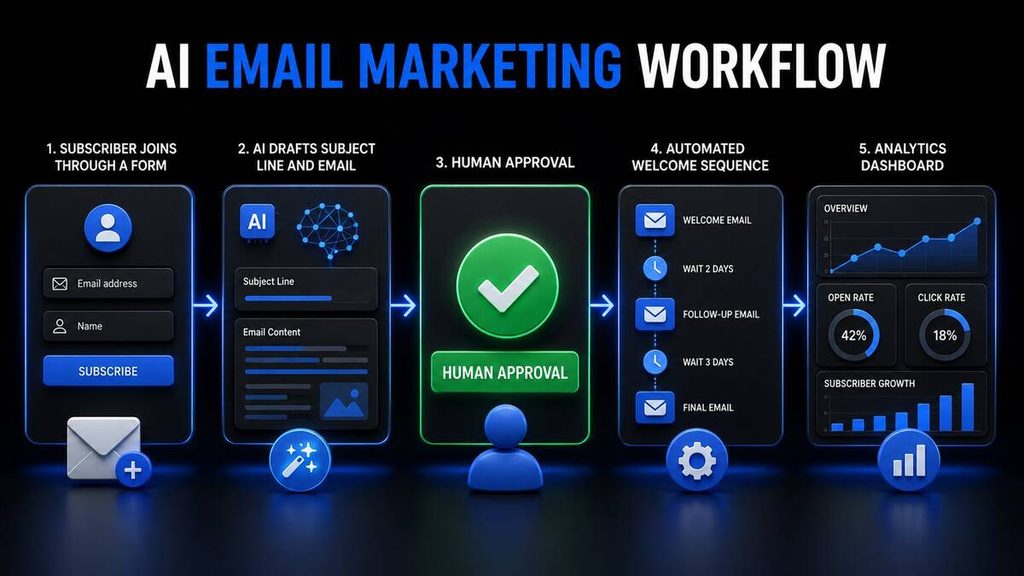
A small business can automate several repetitive email tasks.
Welcome emails
A welcome email can be sent automatically when someone joins your list.
A basic sequence might include:
- Welcome and confirmation
- Your best resources
- Your business story
- A helpful recommendation
- An introduction to your product or service
Blog notifications
WordPress articles can automatically trigger newsletter drafts or RSS campaigns.
Lead nurturing
Subscribers can receive different emails based on:
- The form they completed
- The page they visited
- The link they clicked
- The product they viewed
- Their location
- Their previous purchases
- Their interests
Abandoned-cart emails
E-commerce businesses can remind customers about products left in their carts.
Re-engagement campaigns
Inactive subscribers can receive a campaign asking whether they still want to remain on the list.
Product promotions
Businesses can create automated launches, discounts and follow-up sequences.
Transactional messages
Some platforms can deliver receipts, confirmations, password-reset messages and account notifications.
Campaign optimisation
AI can assist with subject lines, tone, content variations and recommended sending times.
Automation should support customer communication without becoming excessive. Every email should have a clear purpose and a simple unsubscribe option.
1. Brevo: best overall for small businesses
Brevo is my best overall AI email marketing tool for small businesses.
It combines:
- Email marketing
- SMS campaigns
- Transactional email
- Marketing automation
- Customer relationship management
- Live chat
- Contact management
- Forms
- Analytics
This gives a small business room to grow without immediately combining several unrelated platforms.
Brevo AI features
Brevo offers AI content assistance for email marketing. Its tools can help users create and improve campaign copy more quickly.
Depending on the selected plan and current availability, Brevo can assist with:
- Email copy
- Subject lines
- Content improvements
- Campaign preparation
- Customer segmentation
- Automation
The AI tools should still be used as a drafting assistant. Every campaign should be reviewed for accuracy and brand voice.
Brevo Free plan
Brevo’s Free plan currently includes:
- 300 email sends per day
- Storage for up to 100,000 contacts
- One user
- Email campaigns
- SMS campaigns, with SMS usage charged separately where applicable
- Transactional emails
- Drag-and-drop email editor
- Templates
- Basic reporting and analytics
These details are available in Brevo’s official plan documentation.
The 300-email daily limit is important. If you have 1,000 subscribers, you cannot necessarily email the complete list simultaneously on the Free plan.
Brevo advantages
- Generous contact storage
- Free plan available
- Email and SMS in one platform
- Transactional email support
- CRM capabilities
- Marketing automation
- Suitable for small businesses
- Basic analytics included
Brevo disadvantages
- Free plan has a daily sending limit
- Advanced automation requires payment
- Removing Brevo branding may require an upgrade
- SMS and WhatsApp-related costs can be separate
- The interface contains more features than a basic newsletter tool
Who should use Brevo?
Brevo is suitable for:
- Small businesses
- Online stores
- Service businesses
- Startups
- Businesses sending transactional emails
- Owners wanting email and SMS
- Businesses requiring large contact storage
Brevo verdict: Best overall AI email marketing platform for small businesses.
2. MailerLite: best for beginners and WordPress
MailerLite is a beginner-friendly email platform offering newsletters, automation, websites, landing pages and signup forms.
Its clean interface makes it attractive to bloggers and new businesses that do not need a complicated CRM.
MailerLite features
MailerLite includes tools for:
- Email campaigns
- Automated sequences
- Signup forms
- Landing pages
- Websites
- Subscriber management
- A/B testing
- Digital products
- Newsletter templates
- RSS campaigns on eligible plans
MailerLite AI features
MailerLite’s AI writing assistant can generate:
- Subject-line ideas
- Email copy
- Calls to action
- Content variations
- Different tones and styles
However, MailerLite’s official documentation says the AI writing assistant is available on its paid Comfort and Power plans and uses account credits. MailerLite AI writing assistant.
This means the Free plan is useful for email marketing, but it should not be described as providing unrestricted AI writing.
MailerLite Free plan
MailerLite’s current Free plan includes:
- Up to 250 subscribers
- Up to 2,500 emails per month
- Two users
- Campaigns
- Basic automation
- One website
- One landing page
- Signup forms
- Drag-and-drop, HTML and simple email editors
Confirm current limits on the official MailerLite pricing page.
MailerLite WordPress integration
MailerLite provides an official WordPress signup-form integration. It can add embedded forms to a WordPress website and display connected popup forms. MailerLite WordPress integration.
This makes it one of the most suitable options for Tool Habour or another WordPress blog.
MailerLite advantages
- Beginner-friendly
- Permanent Free plan
- Official WordPress integration
- Signup forms
- Landing pages
- Basic automation
- Multiple email editors
- Suitable for bloggers
- Straightforward interface
MailerLite disadvantages
- Free subscriber limit is relatively low
- AI assistance requires a paid plan
- Advanced automation requires upgrading
- Larger businesses may need deeper CRM functions
Who should use MailerLite?
MailerLite is best for:
- Bloggers
- WordPress websites
- Beginners
- Small content businesses
- Newsletter owners
- Solo entrepreneurs
- Businesses with small email lists
MailerLite verdict: Best email marketing platform for beginners and WordPress bloggers.
3. Mailchimp: best for familiar, guided email marketing
Mailchimp is one of the most recognisable email-marketing platforms.
It offers campaigns, templates, forms, landing pages, automation, audience management and AI-assisted content creation.
Mailchimp AI features
Mailchimp provides generative AI capabilities that can help users:
- Create email content
- Generate copy ideas
- Develop campaign variations
- Maintain a brand style
- Improve existing content
- Prepare subject lines
Mailchimp describes its platform as AI-powered and offers generative features on eligible plans.
Mailchimp Free plan
Mailchimp currently provides a basic Free plan for small lists. Its official Free-plan information lists support for up to approximately 250 contacts, although promotional trials and plan configurations may display different allowances.
Because Mailchimp frequently adjusts pricing and introductory offers, confirm your exact contact and sending limit before registering. Mailchimp Free marketing features.
Mailchimp advantages
- Recognisable platform
- Guided setup
- Drag-and-drop design
- Templates
- Landing pages and forms
- Basic Free plan
- Numerous integrations
- AI content support
- Suitable for common marketing campaigns
Mailchimp disadvantages
- Restrictive Free contact allowance
- Pricing increases as contacts grow
- Some useful automation features require higher plans
- The product structure can feel complicated
- Businesses may pay for inactive contacts depending on current billing rules
Who should use Mailchimp?
Mailchimp is suitable for:
- Beginners wanting a familiar platform
- Small online stores
- Businesses needing templates
- Users wanting broad integrations
- Teams already using Mailchimp-connected software
Mailchimp verdict: A reliable, familiar choice, but its Free plan is less generous than several alternatives.
4. HubSpot: best for CRM and email marketing
HubSpot combines email marketing with a customer relationship management platform.
This means email activity can connect directly with contact records, forms, sales conversations and customer information.
HubSpot AI email features
HubSpot’s AI email tools can help with:
- Generating subject lines
- Drafting marketing emails
- Rewriting existing content
- Adjusting length and tone
- Personalising messages
- Using CRM information
- Preparing sales outreach
HubSpot’s official email-marketing page says its Free tools include AI writing assistance, templates, a drag-and-drop editor and CRM integration. HubSpot email-marketing software.
HubSpot Free tools
HubSpot offers Free tools for:
- Email marketing
- Contact management
- Forms
- CRM
- Email tracking
- Templates
- Meeting scheduling
- Live chat
Advanced marketing automation, reporting and scaling features require paid Marketing Hub plans.
HubSpot advantages
- Free CRM
- Email and customer data in one place
- AI email writer
- Forms and contact management
- Sales and marketing integration
- Strong personalisation potential
- Suitable for growing businesses
- Broad business platform
HubSpot disadvantages
- Advanced plans can become expensive
- The platform may be excessive for a simple newsletter
- Complex features require setup
- Contact-based pricing can increase as a business grows
- Advanced automation requires paid access
Who should use HubSpot?
HubSpot is best for:
- Service businesses
- Sales teams
- Businesses managing leads
- Companies requiring a CRM
- Businesses aligning sales and marketing
- Growing teams with multiple departments
HubSpot verdict: Best option when email marketing must connect with CRM and sales activity.
5. Kit: best for creators and newsletter businesses
Kit, formerly known as ConvertKit, is designed for creators.
Its typical users include:
- Bloggers
- Authors
- Coaches
- Musicians
- Podcasters
- YouTubers
- Course creators
- Newsletter publishers
The platform focuses on building an audience and turning subscribers into customers.
Kit AI and automation features
Kit offers AI-powered tools for creating, automating and improving emails.
Its capabilities include:
- Visual automations
- Email sequences
- Audience segmentation
- Newsletter recommendations
- Creator monetisation
- RSS campaigns on eligible plans
- Connections to AI tools
- Subscriber-growth features
Kit also supports connections that allow AI assistants to interact with the platform under appropriate configurations.
Kit Free Newsletter plan
Kit’s current Newsletter plan supports up to 10,000 subscribers, subject to its plan conditions.
Kit explains that a Kit-managed recommendation slot remains enabled on the Free Newsletter plan, and earnings generated through that slot go to Kit. The plan includes a basic visual automation and one email sequence. Kit Newsletter plan.
This is a generous subscriber allowance, but users must understand the recommendation-slot condition before choosing the plan.
Kit paid pricing
Kit’s Creator plan currently starts from approximately $39 per month for up to 1,000 subscribers, while Creator Pro starts higher. Pricing increases as the subscriber count grows. Kit plan comparison.
Kit advantages
- Built for creators
- Generous Free subscriber allowance
- Newsletter recommendations
- Visual automation
- Email sequences
- Creator monetisation
- Suitable for digital products
- RSS campaign support on eligible plans
Kit disadvantages
- Free plan includes a Kit-managed recommendation slot
- Paid pricing may be high for a new creator
- Less suitable for traditional corporate CRM needs
- Some advanced features require paid access
- Transactional business email is not its primary strength
Who should use Kit?
Kit is best for:
- Bloggers
- Newsletter creators
- YouTubers
- Musicians
- Authors
- Coaches
- Course creators
- Digital-product sellers
Kit verdict: Best AI email platform for creators and audience-based businesses.
6. ActiveCampaign: best for advanced automation
ActiveCampaign is designed for businesses that need sophisticated marketing automation.
It goes beyond basic newsletters by combining email, customer journeys, segmentation, lead management and predictive features.
ActiveCampaign AI features
ActiveCampaign offers AI capabilities such as:
- AI campaign creation
- AI content generation
- AI brand tools
- AI follow-up campaigns
- Predictive sending
- Conditional content
- Advanced segmentation
- AI-assisted automation
- Translation
- Image generation on eligible plans
Its pricing page highlights multi-step automation, generative AI and predictive capabilities across its plan structure. ActiveCampaign pricing and features.
ActiveCampaign pricing
ActiveCampaign does not offer a permanent Free marketing plan. It provides a 14-day Free trial without requiring a credit card.
Its email-marketing packages are currently listed from approximately $15 per month, with costs scaling according to contacts and selected features. ActiveCampaign email marketing.
ActiveCampaign advantages
- Powerful automation
- Advanced segmentation
- Predictive sending
- AI campaign tools
- Customer journey design
- Lead nurturing
- Suitable for behavioural campaigns
- Strong growth potential
ActiveCampaign disadvantages
- No permanent Free plan
- Steeper learning curve
- More expensive than beginner platforms
- Can be excessive for a basic newsletter
- AI and advanced features may depend on plan or add-ons
- Requires careful automation planning
Who should use ActiveCampaign?
ActiveCampaign is best for:
- Growing online businesses
- Established e-commerce stores
- Marketing teams
- Service businesses with long sales cycles
- Companies using advanced lead nurturing
- Businesses requiring complex segmentation
ActiveCampaign verdict: Best AI email marketing tool for advanced automation.
7. GetResponse: best for AI campaigns and sales funnels
GetResponse combines email marketing, automation, landing pages and online sales tools.
It is suitable for businesses that want to build complete campaigns rather than send newsletters only.
GetResponse AI features
GetResponse provides:
- AI email generation
- AI subject-line generation
- AI landing pages
- Autoresponders
- Marketing automation
- Campaign reporting
- E-commerce tracking
- Segmentation
- SMS on eligible plans
Its AI generator can prepare an email using details such as the subject, business type and preferred tone.
GetResponse pricing
GetResponse currently offers a Free option for basic newsletter and list-building use, together with a 14-day premium trial.
Its Starter plan is advertised from approximately $13.30 per month, depending on billing period and currency, with AI email marketing and unlimited monthly sends. Official GetResponse pricing.
AI-generator usage and advanced automation depend on the plan. GetResponse’s documentation notes that Free accounts can test premium AI generation during the trial period, while continued access requires upgrading. GetResponse AI generator limits.
GetResponse advantages
- AI email generator
- Subject-line generation
- Landing pages
- Autoresponders
- Sales-funnel features
- E-commerce reporting
- Free option and trial
- Suitable for product campaigns
GetResponse disadvantages
- Advanced automation requires higher plans
- Free AI access is limited
- More features create a longer learning curve
- Pricing varies by list size
- Some users may not need the funnel tools
Who should use GetResponse?
GetResponse is best for:
- Product sellers
- Online stores
- Course creators
- Businesses using landing pages
- Marketers building sales funnels
- Companies running automated promotions
GetResponse verdict: Best option for AI-generated campaigns and integrated sales funnels.
Best AI email marketing tool for WordPress
MailerLite is my leading recommendation for a new WordPress website.
It provides an official WordPress signup-form integration, landing pages, basic automation and a simple interface.
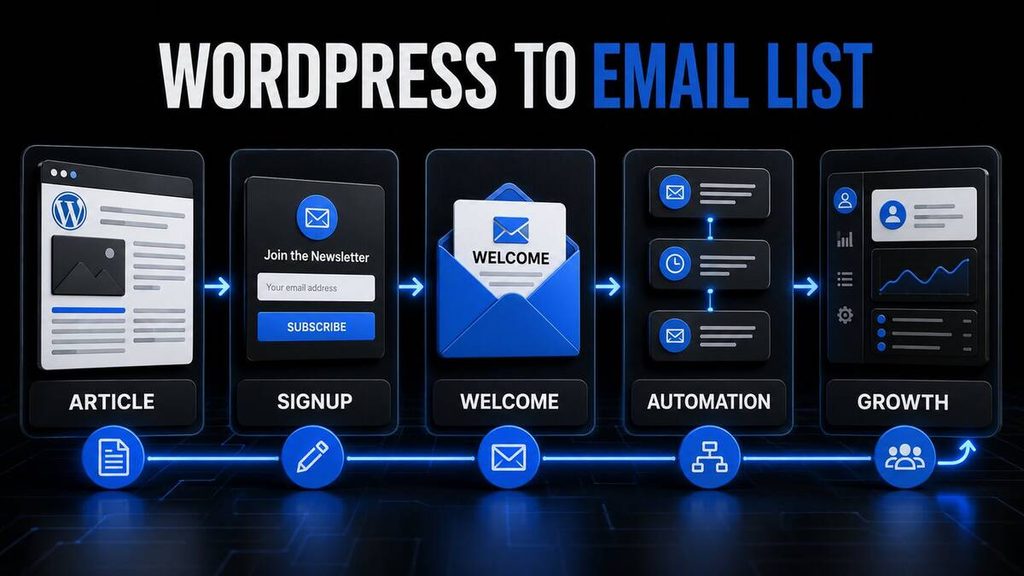
A basic WordPress email system could work like this:
- A visitor reads an article.
- The visitor joins the email list through a signup form.
- MailerLite sends a welcome email.
- The subscriber receives a helpful sequence.
- New articles are promoted through newsletters.
- Relevant products are introduced later.
Brevo is a strong alternative when the website needs:
- Larger contact storage
- Transactional email
- SMS
- Customer relationship management
- More extensive business communication
Kit is the better choice when the WordPress website is built primarily around a creator, newsletter or digital products.
Best free AI email marketing tool
There is no single Free plan that wins every category.
Choose Brevo Free if:
- You want generous contact storage
- You send fewer than 300 emails daily
- You need transactional messages
- You may add SMS later
- You operate a small business
Choose MailerLite Free if:
- You are a beginner
- You use WordPress
- You have fewer than 250 subscribers
- You need forms and landing pages
- Basic automation is sufficient
Choose Kit’s Newsletter plan if:
- You are a creator
- You want to grow a large newsletter
- You understand its recommendation-slot condition
- You plan to monetise your audience
Choose HubSpot Free if:
- You need a CRM
- You manage sales leads
- You want forms and email marketing together
- You expect to build a sales pipeline
Best overall Free option for small businesses: Brevo
Best Free option for WordPress beginners: MailerLite
Best Free option for creators: Kit
Best Free option with CRM: HubSpot
Best AI email marketing tool for creators
Kit is the best platform for creators.
It is specifically designed for people building an audience around their knowledge, personality or content.
Kit is suitable for:
- Bloggers
- YouTubers
- Podcasters
- Musicians
- Coaches
- Authors
- Course creators
- Newsletter publishers
The Creator Network, recommendations and monetisation features make it different from traditional business-focused email platforms.
MailerLite is a good alternative for creators who prioritise affordability and simple WordPress integration.
Best AI email marketing tool for automation
ActiveCampaign is the strongest option for sophisticated automation.
It is suitable when campaigns depend on several conditions and customer behaviours.
For example:
- A person downloads a guide.
- ActiveCampaign sends a welcome sequence.
- The person clicks a product link.
- The contact receives product-focused information.
- The person visits a pricing page.
- The lead is marked as more engaged.
- A sales follow-up is triggered.
- Unresponsive contacts enter a different sequence.
Brevo can provide more affordable automation for smaller businesses, while GetResponse is attractive for sales funnels and product launches.
How to choose an AI email marketing platform
Consider the following factors before registering.
Number of subscribers
Many platforms increase prices as your contact list grows.
A tool that costs little with 250 contacts may become expensive at 10,000 contacts.
Monthly sending requirements
Some tools limit:
- Daily sends
- Monthly sends
- Emails per subscriber
- Total campaigns
- Automation activity
Calculate your expected sending volume before choosing a plan.
Business type
Different tools suit different users:
- Creators: Kit
- WordPress bloggers: MailerLite
- Small businesses: Brevo
- CRM-focused companies: HubSpot
- Advanced marketers: ActiveCampaign
- Funnel marketers: GetResponse
- Familiar guided marketing: Mailchimp
Automation requirements
Do you need a single welcome email, or a complex journey containing several conditions?
Do not pay for advanced automation before your business needs it.
WordPress integration
Confirm that the platform supports your:
- Signup forms
- WordPress theme
- Form plugin
- WooCommerce store
- Landing pages
- Membership system
AI capabilities
Check whether AI is:
- Included on Free
- Restricted to paid plans
- Controlled through credits
- Limited to trials
- Available only through an add-on
The presence of “AI” on a pricing page does not mean every user receives unlimited access.
Analytics
Useful metrics include:
- Delivery rate
- Open rate
- Click rate
- Unsubscribe rate
- Bounce rate
- Conversions
- Revenue
- Subscriber growth
Open-rate data can be affected by privacy features, so it should not be treated as the only measure of success.
Ease of use
A simpler platform is often better for a new business. Complicated automation provides no value if you never finish setting it up.
Recommended beginner email marketing workflow
A new WordPress website should begin with a simple system.
Step 1: Create a valuable signup offer
Offer something useful, such as:
- A checklist
- A short guide
- A template
- A newsletter
- Tool recommendations
- Weekly updates
Do not ask people to subscribe without explaining what they will receive.
Step 2: Add a signup form
Place the form:
- Within relevant articles
- Near the end of articles
- On the homepage
- In the sidebar
- On a dedicated landing page
Avoid placing so many popups that visitors cannot comfortably use the website.
Step 3: Send a welcome email
The welcome email should:
- Confirm the subscription
- Deliver the promised resource
- Explain what emails will follow
- Introduce the brand
- Include one clear next step
Step 4: Create a short automated sequence
A basic sequence could contain:
- Welcome email
- Best article or resource
- Helpful lesson
- Tool recommendation
- Product introduction
Step 5: Send regular newsletters
Email subscribers when you publish genuinely useful content.
Step 6: Measure engagement
Monitor clicks, unsubscribes, replies and conversions.
Step 7: Improve the system
Remove ineffective emails, improve subject lines and refine your signup offer.
Do not build a twenty-email automation before confirming that people want the first five emails.
AI email marketing mistakes to avoid
Buying email lists
Never buy a list of email addresses. Recipients did not request your messages, and the practice can damage deliverability and violate privacy or anti-spam laws.
Adding people without permission
Use clear opt-in forms and maintain records of consent.
Sending AI output without reviewing it
AI can invent information or use an unsuitable tone. Review every campaign.
Misleading subject lines
A subject line should accurately represent the email.
Sending too many promotions
Provide useful information rather than turning every email into a sales message.
Ignoring mobile formatting
Test emails on mobile devices before sending.
Hiding the unsubscribe link
Recipients must have a clear way to stop receiving messages.
Collecting unnecessary information
Only ask subscribers for information you genuinely need.
Ignoring deliverability
Maintain a healthy list by removing invalid addresses and monitoring bounced emails.
Overcomplicating automation
Start with a welcome sequence and one regular newsletter. Add complexity only when it serves a clear business purpose.
Best AI email marketing tools: final verdict
Brevo is the best overall AI email marketing platform for small businesses in 2026.
Its combination of email, SMS, transactional messaging, contact storage and a usable Free plan makes it suitable for businesses that want to start affordably and expand later.
MailerLite is my leading recommendation for beginners and WordPress bloggers. Its official WordPress integration, forms, landing pages and straightforward interface make it easy to begin building a list.
Mailchimp remains a familiar choice with broad integrations, although its Free plan is more restrictive than several alternatives.
HubSpot is the best option when email marketing must connect with a CRM, sales leads and customer information.
Kit is the strongest choice for creators who want to grow and monetise a newsletter.
ActiveCampaign provides the most advanced automation but is better suited to established businesses with clear customer journeys.
GetResponse is a strong option for AI-generated campaigns, landing pages and sales funnels.
My final recommendations are:
- Best overall: Brevo
- Best for beginners: MailerLite
- Best for WordPress: MailerLite
- Best for creators: Kit
- Best with a CRM: HubSpot
- Best for advanced automation: ActiveCampaign
- Best for sales funnels: GetResponse
- Best familiar platform: Mailchimp
Start with a Free plan, build a small email list and create one useful welcome sequence. Upgrade only when a real limitation prevents the business from growing.
Frequently asked questions
What is the best AI email marketing tool for small businesses?
Brevo is the best overall option for many small businesses because it combines email campaigns, transactional email, SMS, automation and generous contact storage.
What is the easiest email marketing platform for beginners?
MailerLite is one of the easiest options for beginners. It offers a simple interface, forms, landing pages and an official WordPress integration.
What is the best Free email marketing tool?
Brevo is best for general small-business use. MailerLite is best for WordPress beginners, Kit is best for creators and HubSpot is best for businesses requiring a CRM.
Can AI write complete marketing emails?
Yes, but every AI-generated email should be reviewed for accuracy, tone and relevance before sending.
Which email marketing tool is best for WordPress?
MailerLite is a strong WordPress option because it provides an official plugin for connecting signup forms to a MailerLite account.
Is Mailchimp still good for beginners?
Yes. Mailchimp offers guided setup, templates and broad integrations. However, its current Free contact allowance is more restrictive than several competitors.
Is Brevo better than Mailchimp?
Brevo generally provides more generous contact storage and supports transactional messaging and SMS. Mailchimp may feel more familiar and offers broad marketing integrations. The better choice depends on your needs.
Is Kit better than MailerLite?
Kit is better for creators focused on newsletter growth and monetisation. MailerLite is better for beginners wanting affordable, straightforward email marketing and WordPress integration.
Does ActiveCampaign have a Free plan?
ActiveCampaign provides a Free trial but does not currently offer a permanent Free marketing plan.
Which platform has the best automation?
ActiveCampaign provides the deepest automation in this comparison. Brevo offers a more affordable option for small businesses with simpler needs.
Do I need an email list before choosing a platform?
No. Most platforms provide forms and landing pages to help you begin building a list.
Can I add affiliate links to marketing emails?
That depends on the platform’s rules, the affiliate programme’s terms and applicable law. Disclose affiliate relationships clearly and avoid misleading promotions.
How often should a small business send emails?
There is no universal schedule. Consistency and relevance matter more than frequency. Many small businesses begin with one useful email per week or every two weeks.
Can email marketing help an affiliate website?
Yes. An affiliate website can use email to share valuable articles, product comparisons and transparent recommendations. Subscribers should not receive constant promotional messages.
Rank Math SEO settings
Focus keyword:Best AI email marketing tools
SEO title:7 Best AI Email Marketing Tools for Small Businesses
Permalink:best-ai-email-marketing-tools
Meta description:Compare seven of the best AI email marketing tools for small businesses in 2026, including Free plans, automation, pricing and WordPress support.
Category:AI Business & Automation
Secondary keywords:
- AI email marketing tools
- Best email marketing software
- Email marketing tools for small businesses
- Free AI email marketing tools
- AI email automation
- Best email marketing platform
- Email automation software
- WordPress email marketing
- AI newsletter tools
- Email marketing software comparison
Suggested WordPress tags:
- Email marketing
- AI marketing tools
- Brevo
- MailerLite
- Mailchimp
- HubSpot
- Kit
- ActiveCampaign
- GetResponse
- Marketing automation
Suggested excerpt:
Compare seven leading AI email marketing platforms for small businesses, including Brevo, MailerLite, Mailchimp, HubSpot, Kit, ActiveCampaign and GetResponse.
Recommended schema:
- Schema type: Article
- Article type: Blog Post
- Author: Your real author name
- Review schema: Do not use
- FAQ schema: Use only for the visible FAQ section if your SEO plugin supports it correctly