How to Clone Your Voice With AI: A Beginner’s Guide for 2026
AI voice cloning makes it possible to create a digital version of your voice that can read scripts, produce voiceovers and speak words you never recorded manually.
Modern voice-cloning tools can analyse a recording of your voice and reproduce characteristics such as your accent, tone, rhythm, pronunciation and speaking style. Once your digital voice has been created, you can enter text and generate new audio without recording every sentence yourself.
This technology can be useful for YouTube videos, podcasts, online courses, audiobooks, social media content and business presentations. However, it must be used responsibly. You should only clone your own voice or a voice you have clear permission to use.
In this guide, you will learn how to clone your voice with AI, how the technology works, what equipment you need and how to make your cloned voice sound more realistic.
Table of Contents
What Is AI Voice Cloning?
AI voice cloning is a technology that creates a digital copy of a person’s voice from recorded audio.
The software analyses the vocal characteristics contained in the recording. These may include:
- Accent
- Pitch
- Tone
- Speaking speed
- Cadence
- Pronunciation
- Vocal texture
- Pauses and breathing patterns
- Emotional delivery
After analysing the voice sample, the AI generates a voice model that can convert written text into speech resembling the original speaker.
A voice clone does not simply rearrange words from the original recording. It uses the vocal patterns learned from the sample to generate completely new sentences.
This means your AI voice clone may be able to say something you never recorded manually.
How Does AI Voice Cloning Work?
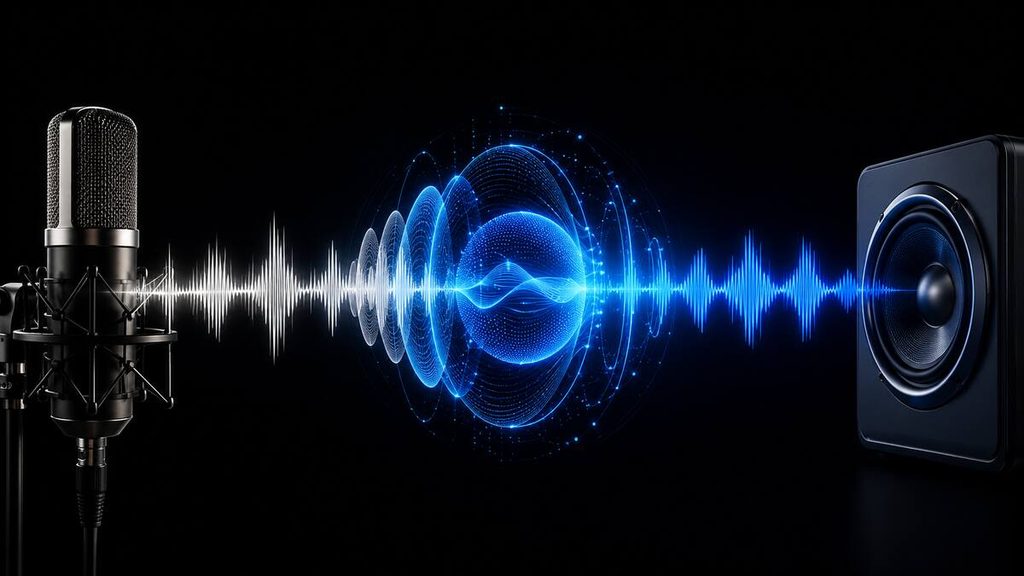
AI voice cloning combines speech analysis, machine learning and text-to-speech technology.
The process normally involves four stages.
1. Recording the voice
You provide the AI platform with one or more recordings of the voice you want to clone.
The recording should contain clear speech with minimal background noise, music or echo.
2. Analysing the recording
The AI examines the recording to identify important characteristics of the speaker’s voice.
It attempts to recognise patterns such as pitch, cadence, accent and pronunciation. The quality and quantity of the training audio can affect how accurately these characteristics are reproduced.
3. Creating the voice model
The platform uses the information extracted from the audio to create a digital representation of the voice.
Instant cloning systems may estimate a voice from a short sample. More advanced professional systems can train a dedicated model using considerably more recorded material.
4. Generating new speech
After the voice has been created, you enter a written script into the platform.
The text-to-speech model converts the script into spoken audio using the cloned voice. You can then listen to the result, adjust the settings and download the finished recording if your chosen plan permits downloads.
According to ElevenLabs’ voice-cloning documentation, voice cloning captures characteristics such as timbre, cadence, accent and pronunciation and applies them to newly synthesised speech.
What Do You Need to Clone Your Voice?
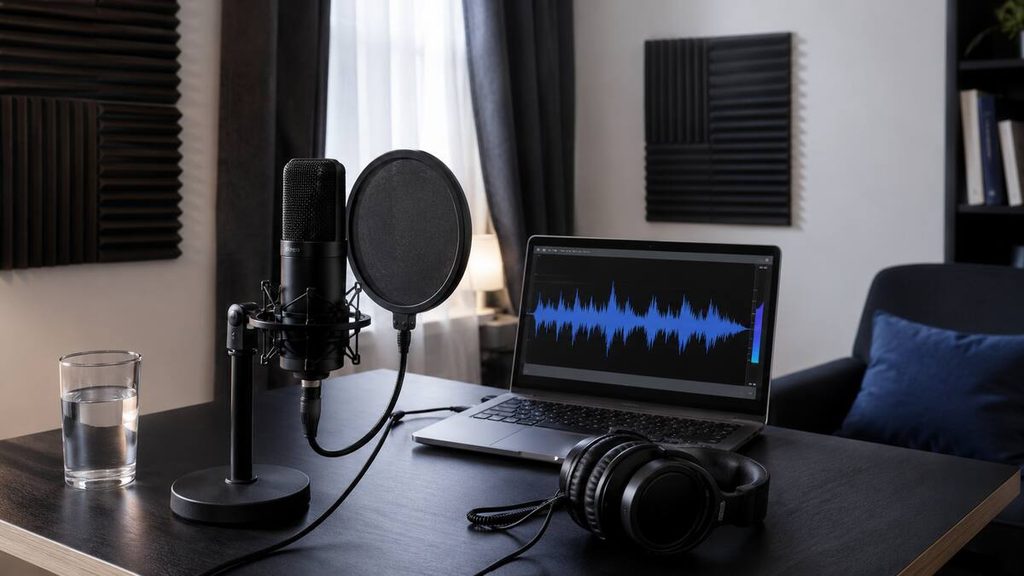
You do not necessarily need an expensive recording studio to create a usable voice clone.
The basic requirements are:
- A computer or compatible mobile device
- A stable internet connection
- An AI voice-cloning platform
- A microphone
- A quiet recording environment
- A prepared recording script
- Permission from the person whose voice is being cloned
A modern smartphone can produce a reasonable sample when used in a quiet, furnished room. However, a dedicated USB or XLR microphone can provide cleaner and more consistent audio.
Recording quality is more important than buying the most expensive microphone available. A costly microphone used in a noisy or echo-filled room may produce a worse sample than an affordable microphone used correctly.
How to Clone Your Voice With AI
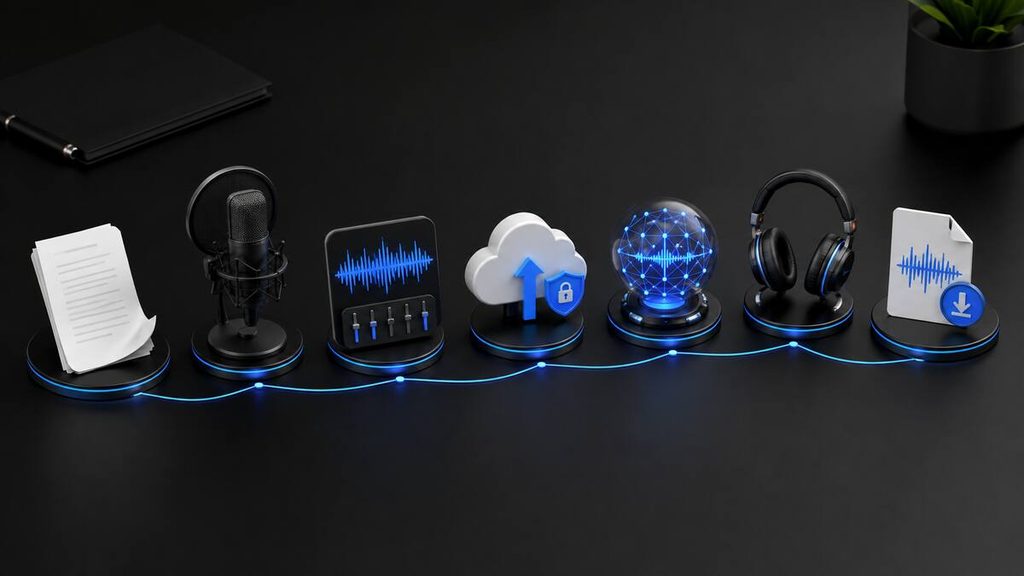
The exact interface will depend on the platform you choose, but most AI voice-cloning services follow a similar process.
Step 1: Choose an AI voice-cloning tool
Begin by selecting a platform that supports voice cloning.
Evaluate each tool based on:
- Voice quality
- Required recording length
- Supported languages
- Commercial-use rights
- Download options
- Monthly usage limits
- Voice security
- Pricing
- Consent requirements
ElevenLabs is one popular option because it provides both instant and professional voice-cloning methods. Other platforms may combine cloning with video editing, podcast production or translation features.
Read our comparison of the best AI voice generators for realistic voices to explore more options.
Step 2: Create an account
Visit the platform’s official website and create an account.
Some services allow you to test standard AI voices for free but require a paid subscription to create, use or download a custom voice clone. Check the latest plan conditions before uploading your recordings.
You can read our ElevenLabs pricing guide to compare its available subscriptions.
Step 3: Prepare your recording script
Write or select a script that contains varied sentences and natural language.
A useful voice-cloning script should include:
- Short and long sentences
- Questions
- Statements
- Common words
- Different vowel and consonant sounds
- Numbers and names
- Natural emotional variation
- Comfortable pauses
Avoid reading in an exaggerated advertising voice unless that is the style you want the clone to reproduce.
Speak naturally and consistently. If you whisper in one section and shout in another, the platform may struggle to understand which style represents your normal voice.
Step 4: Record in a quiet environment
Choose a small, quiet and furnished room.
Curtains, carpets, couches and other soft surfaces can help reduce reflections and echo. Empty rooms with hard walls and floors often create recordings that sound distant or hollow.
Before recording:
- Turn off fans and air conditioners if possible
- Close windows and doors
- Silence phone notifications
- Move away from noisy computers
- Position the microphone correctly
- Record a short test
- Listen for background noise and distortion
Place the microphone at a consistent distance from your mouth. Approximately 15 to 20 centimetres is a practical starting point for many microphones, although the ideal distance depends on the device.
A pop filter can help reduce harsh bursts of air on letters such as “P” and “B.”
Step 5: Record your voice sample
Read the script clearly at your normal speaking pace.
Do not rush. Try to maintain a consistent distance from the microphone and avoid touching the desk or microphone stand.
If you make a mistake, pause and repeat the sentence. You can edit the mistake before uploading the file if the platform requires clean, continuous audio.
Recordings should normally be saved in a widely supported format such as WAV or MP3. WAV preserves more audio information, but it also creates larger files.
Step 6: Review and clean the recording
Listen to the complete sample before uploading it.
Check for:
- Background conversations
- Loud breaths
- Clipping or distortion
- Sudden changes in volume
- Excessive echo
- Long periods of silence
- Music
- Multiple speakers
- Incorrect words
Basic noise reduction can help when used carefully. However, aggressive audio processing may introduce artificial sounds that reduce the quality of the clone.
It is usually better to make a clean new recording than to attempt to repair severely damaged audio.
Step 7: Upload the recording
Open the platform’s voice-cloning area and upload your audio sample.
You may be asked to:
- Name the voice
- Select a language or accent
- Confirm that you own the voice
- Record a verification phrase
- Accept a consent declaration
- Describe the recording conditions
- Add labels to the voice
Read every consent and usage notice carefully. Do not falsely confirm that you own or have permission to use another person’s voice.
Step 8: Create the voice clone
Start the cloning process and allow the platform to analyse your recording.
An instant clone may become available shortly after the upload. A professional clone can take longer because it may require more audio, verification and dedicated model training.
ElevenLabs states that its instant method can work from approximately one to three minutes of audio. Its professional method uses substantially more material and is designed for higher fidelity. Requirements can change, so confirm them on the platform before recording.
Step 9: Test the cloned voice
Do not immediately use the first generated result in a published project.
Enter a short test script containing:
- Your name
- Industry-specific terminology
- Questions
- Numbers
- Short sentences
- Longer paragraphs
- Words that are commonly mispronounced
Listen carefully and compare the result with your real voice.
Pay attention to:
- Pronunciation
- Natural pauses
- Accent
- Speaking speed
- Emotion
- Volume
- Sentence endings
- Robotic artefacts
If the voice sounds inaccurate, the cause may be poor source audio, an unsuitable script or incorrect generation settings.
Step 10: Adjust the voice settings
Many AI voice platforms provide controls for qualities such as stability, style, speed or similarity.
The exact names and effects of these controls vary by platform.
A highly stable output may sound more consistent but less expressive. Lower stability may introduce greater emotion and variation but can also make the delivery less predictable.
Change one setting at a time and generate short test clips. This makes it easier to determine which adjustment improves the result.
Step 11: Generate and download your audio
Once you are satisfied with the test, paste your final script into the text-to-speech editor.
Break long scripts into manageable sections instead of generating an entire article or video in one attempt. Shorter sections are easier to correct and regenerate.
Download the audio in the highest appropriate quality available, then add it to your video editor, podcast software or other content-production workflow.
How Much Audio Do You Need to Clone a Voice?
The amount of audio required depends on the type of clone and the platform being used.
| Voice-cloning method | Typical audio requirement | Best suited to |
|---|---|---|
| Instant voice cloning | A few minutes or less | Tests, short videos and basic content |
| Professional voice cloning | Approximately 30 minutes to several hours | Frequent publishing and high-quality production |
| Custom enterprise model | Varies by provider | Large-scale commercial applications |
These figures are general guidelines. Always check the current requirements of your chosen service.
More audio does not automatically produce a better clone. Thirty minutes of noisy, inconsistent speech may be less useful than a shorter recording made in a controlled environment.
The best training material is clean, consistent and representative of how you actually speak.
How to Record a High-Quality Voice Sample
The source recording is one of the most important factors affecting the finished voice.
Use the following practices to improve your sample.
Maintain a consistent tone
Record the entire sample in a similar vocal style.
If your normal content is educational, use a clear and conversational tone. If you need an energetic advertising voice, record material that demonstrates that delivery.
Avoid background music
The AI should hear only the target speaker.
Music, sound effects and other voices can interfere with the analysis and may introduce unwanted characteristics into the output.
Prevent clipping
Clipping happens when the recording level is too high. It produces harsh distortion that is difficult to remove.
Make a test recording and check that your loudest words do not overload the microphone.
Use one microphone
Do not combine recordings from multiple microphones, rooms or devices unless the platform specifically recommends it.
Changes in microphone tone and room acoustics can make the dataset inconsistent.
Read naturally
Do not force an accent or speak unusually slowly.
Your voice clone learns from what you provide. If you read unnaturally during training, the generated voice may also sound unnatural.
Stay hydrated
A dry mouth can produce clicks and inconsistent speech. Drink water before recording and take breaks during longer sessions.
Instant vs Professional Voice Cloning
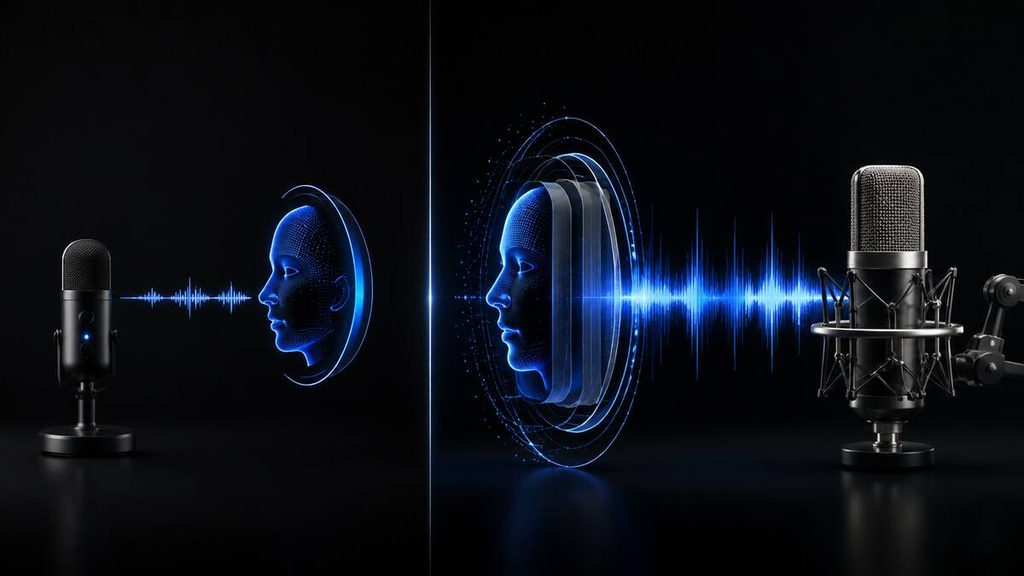
Instant and professional voice cloning are designed for different requirements.
| Feature | Instant voice cloning | Professional voice cloning |
|---|---|---|
| Setup time | Usually fast | Takes longer |
| Audio required | Short sample | Larger recording dataset |
| Voice accuracy | Good for many everyday uses | Usually more accurate |
| Verification | Depends on the platform | Often stricter |
| Best for | Testing and occasional content | Regular professional production |
| Cost | Often available on lower paid plans | Usually requires a higher plan |
| Consistency | Can vary with difficult scripts | Generally better for demanding projects |
Instant voice cloning is suitable when you want to test the technology, create occasional content or produce short voiceovers.
Professional cloning is more appropriate when the voice will become part of a brand, course, audiobook or regular content-production system.
For a closer look at AI voice platforms, read ElevenLabs vs Murf AI: Which AI Voice Generator Is Better?
What Can You Use an AI Voice Clone For?
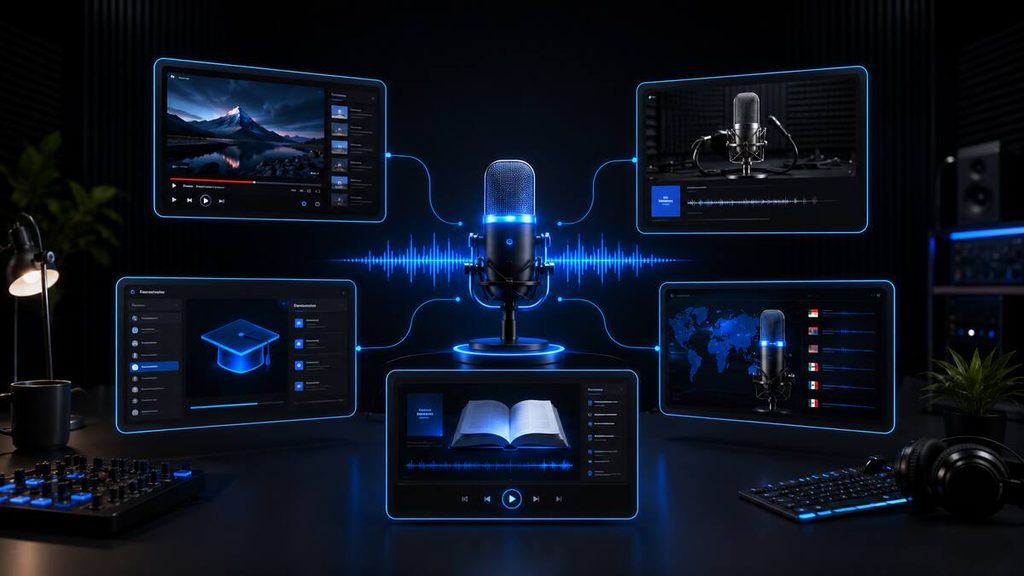
A responsibly created voice clone can support several content and business workflows.
YouTube voiceovers
Creators can generate narration without recording every sentence manually.
A clone can also help replace a mispronounced word or incorrect sentence after a video has already been edited.
Podcasts
Podcasters may use voice cloning to create introductions, summaries or corrected segments.
Listeners should be informed when a substantial amount of synthetic speech is used, especially when the distinction may affect trust.
Online courses
Course creators can update old lessons without recording an entire module again.
For example, a changed product name or instruction could be replaced with a newly generated sentence.
Audiobooks
AI voices can accelerate audiobook production, but creators must confirm that they own the relevant voice, text and commercial distribution rights.
Social media content
Voice clones can generate narration for short-form videos, product demonstrations and educational posts.
Multilingual dubbing
Some platforms can translate speech while attempting to preserve the speaker’s original vocal identity.
Always review translated content with a fluent speaker before publication. A natural-sounding voice does not guarantee an accurate translation.
Accessibility
Synthetic voices can help people who are unable to record long sessions or who may lose the ability to speak.
The technology can also support audio versions of written content.
Business training
Companies can use authorised AI voices for internal training videos, onboarding material and product demonstrations.
Written consent and clear ownership policies are particularly important in a workplace.
Is AI Voice Cloning Legal?
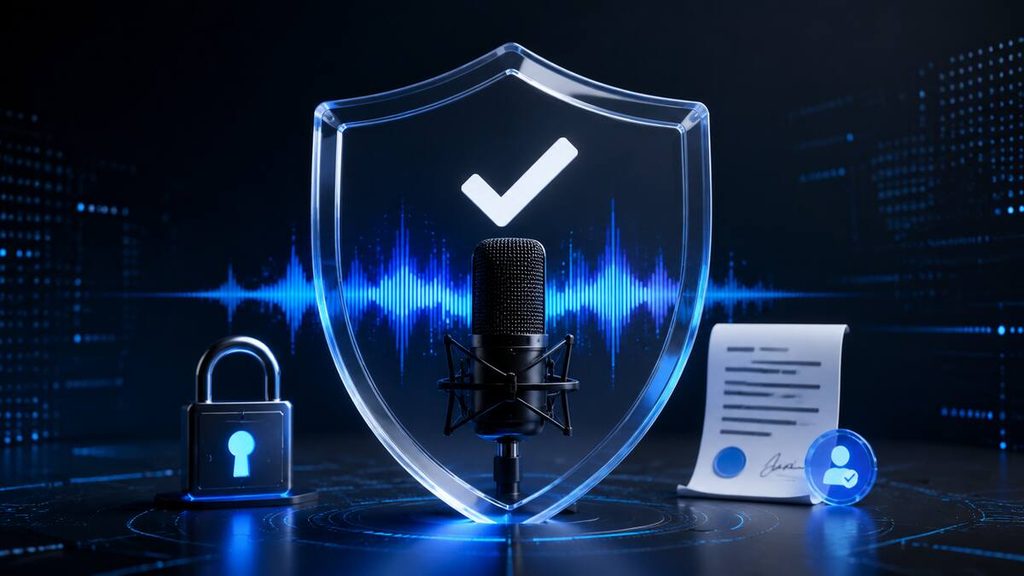
AI voice cloning is not automatically illegal, but the way it is created and used can cause serious legal and ethical problems.
Rules vary by country and region. Relevant issues may include:
- Consent
- Privacy
- Fraud
- Impersonation
- Defamation
- Copyright
- Publicity and personality rights
- Employment agreements
- Platform policies
- Advertising disclosure
You should only clone your own voice or a voice for which you have explicit, informed permission.
Permission to record a person does not necessarily mean you have permission to create an AI clone of that person or use it commercially.
If a cloned voice will be used for business, advertising, entertainment or public distribution, obtain written permission explaining:
- Where the voice may be used
- How long permission lasts
- Whether commercial use is permitted
- Who controls the voice model
- Whether the person can withdraw permission
- How the recordings and model will be secured
This article provides general information and is not legal advice. Consult a qualified legal professional when voice rights or commercial contracts are involved.
How to Prevent Misuse of Your Voice
Voice cloning can be useful, but it can also be misused for impersonation and fraud.
The US Federal Trade Commission has warned about potential harms from AI-enabled voice cloning, including scams and the misuse of biometric information. You can read the FTC’s guidance on AI voice-cloning risks.
Take these precautions:
- Use platforms with clear security and deletion policies
- Enable two-factor authentication
- Use a unique password
- Do not share account access unnecessarily
- Review who can access your voice
- Delete unused samples and clones
- Keep original consent records
- Avoid uploading confidential conversations
- Do not publish raw training recordings
- Use a family verification phrase for suspicious calls
If you receive an urgent voice message asking for money, do not rely on the voice alone as proof of identity. Contact the person using a trusted number or another verification method.
Common AI Voice-Cloning Mistakes
Using a noisy recording
Traffic, fans, music and room echo can reduce the accuracy of a clone.
Record again in a quieter environment instead of relying entirely on noise-removal software.
Uploading several speakers
Training audio should contain only the person being cloned.
Other speakers can confuse the system or reduce consistency.
Changing vocal styles repeatedly
Large changes in accent, volume or emotion can make it difficult for the model to identify the intended default voice.
Recording too close to the microphone
Recording extremely close can produce harsh breath sounds and excessive bass.
Use a consistent microphone distance and a pop filter where possible.
Pasting an entire article into one generation
Long generations can contain more pronunciation and pacing problems.
Divide the script into sections and review each one separately.
Ignoring punctuation
Punctuation helps the model interpret pauses and sentence structure.
Add commas, full stops, question marks and paragraph breaks where you want natural pauses.
Cloning someone without permission
This is the most serious mistake.
Never assume that a public speech, YouTube video or podcast gives you permission to clone the speaker.
How to Make an AI Voice Sound More Realistic
Creating the clone is only the beginning. Script preparation has a major effect on the output.
Write for listening
Written language and spoken language are different.
Use shorter sentences, simple words and conversational phrasing. Read the script aloud before generating it.
Add punctuation intentionally
Use commas for short pauses and full stops for clearer breaks.
Avoid filling the script with random punctuation because the result can become slow and unnatural.
Generate shorter sections
Short sections allow you to adjust pacing and emotion more precisely.
They also make it easier to regenerate one weak sentence without consuming credits on the entire script.
Spell difficult words phonetically
If the platform consistently mispronounces a name, abbreviation or technical term, try a phonetic spelling.
Test the adjusted spelling before applying it throughout the script.
Use natural transitions
Words such as “however,” “first,” “for example” and “finally” can make narration easier to follow.
Review every output
AI-generated speech can still mispronounce words, skip text or introduce unusual sounds.
Listen to the entire recording before publishing it.
Edit the finished audio
Basic post-production can improve consistency.
Depending on the project, you may adjust:
- Volume
- Silence
- Background noise
- Equalisation
- Compression
- Music levels
- Spacing between clips
Do not overprocess the audio. Excessive editing can make a realistic clone sound artificial.
Is AI Voice Cloning Worth Using?
AI voice cloning can be worth using when it solves a genuine production problem.
It is especially helpful for creators and businesses that frequently produce:
- Narrated videos
- Podcasts
- Training material
- Product demonstrations
- Online courses
- Multilingual content
- Audio versions of articles
It can save time when correcting small mistakes or updating existing recordings.
However, a voice clone is not a complete replacement for human performance. Real recording may still be better when a project requires complex emotion, spontaneous conversation or highly sensitive communication.
Beginners should start with an instant clone and test it on a short, private project. If the result is useful and the voice will be used regularly, a more advanced cloning option may become worthwhile.
Frequently Asked Questions
Can I clone my voice with AI?
Yes. Several AI voice platforms allow you to create a digital version of your own voice from recorded audio. Available features, recording requirements and prices vary between providers.
Can I clone my voice for free?
Some platforms provide limited free voice-cloning tools or trials. However, a paid plan may be required to generate longer recordings, download the audio or use the voice commercially.
Check the current plan terms before creating your clone.
How long does it take to clone a voice?
An instant clone may be created in a short period after you upload the required recording. Professional voice cloning can take several hours or longer because it uses more audio and may involve verification and dedicated training.
How much audio is needed to clone a voice?
Instant cloning may require only a few minutes of clean speech. Professional cloning can require approximately 30 minutes to several hours, depending on the provider.
Can AI clone any voice?
AI can attempt to reproduce many voices, but the quality varies. Unusual accents, inconsistent recordings, background noise and limited training material can reduce accuracy.
You must also have permission to clone any voice that does not belong to you.
Can I use an AI-cloned voice commercially?
Commercial use depends on the platform’s licence, your subscription and whether you have the legal rights to the original voice and script.
Read the provider’s latest terms before publishing monetised content.
Is AI voice cloning safe?
It can be used safely when you protect your account, select a reputable platform and only upload authorised recordings.
There is still a risk of misuse if an account or voice model is compromised, so treat voice data as sensitive information.
Is it illegal to clone someone else’s voice?
Cloning or using another person’s voice without permission can violate laws, contracts, privacy rights or platform rules. The specific legal position depends on where you live and how the voice is used.
Obtain explicit written permission and seek legal advice for commercial projects.
What is the best AI voice-cloning tool?
The best tool depends on your budget, required quality, language, commercial rights and workflow. ElevenLabs is a prominent option, but creators should compare multiple providers before subscribing.
Read our guide to the best AI voice generators for a broader comparison.
Final Verdict
Learning how to clone your voice with AI is now relatively straightforward. Choose a reputable platform, prepare a varied script, record clean audio and test the finished clone before using it publicly.
The quality of the original recording has a major effect on the result. A quiet room, consistent delivery and clear pronunciation can make more difference than expensive equipment.
Most importantly, use voice cloning responsibly. Only clone a voice you own or have explicit permission to use, protect the resulting voice model and disclose synthetic audio when it could otherwise mislead an audience.
For beginners, instant voice cloning is the easiest place to start. Creators who need a highly accurate voice for regular commercial production can consider professional cloning after testing the workflow.