7 Best AI Voice Generators for Realistic Voices in 2026
The best AI voice generators can turn written scripts into natural-sounding speech without requiring expensive microphones, recording studios or professional voice actors.
These tools are increasingly used for YouTube videos, podcasts, online courses, advertisements, audiobooks, product demonstrations, social-media content and business presentations. Some platforms can also clone a consenting user’s voice, translate recordings and create multilingual voiceovers.
After comparing voice quality, language support, editing features, commercial-use options, usability and pricing, ElevenLabs is our best overall AI voice generator for 2026. Its realistic speech, extensive voice library, multilingual support and voice-design features make it suitable for many different projects.
Table of Contents
What Is an AI Voice Generator?
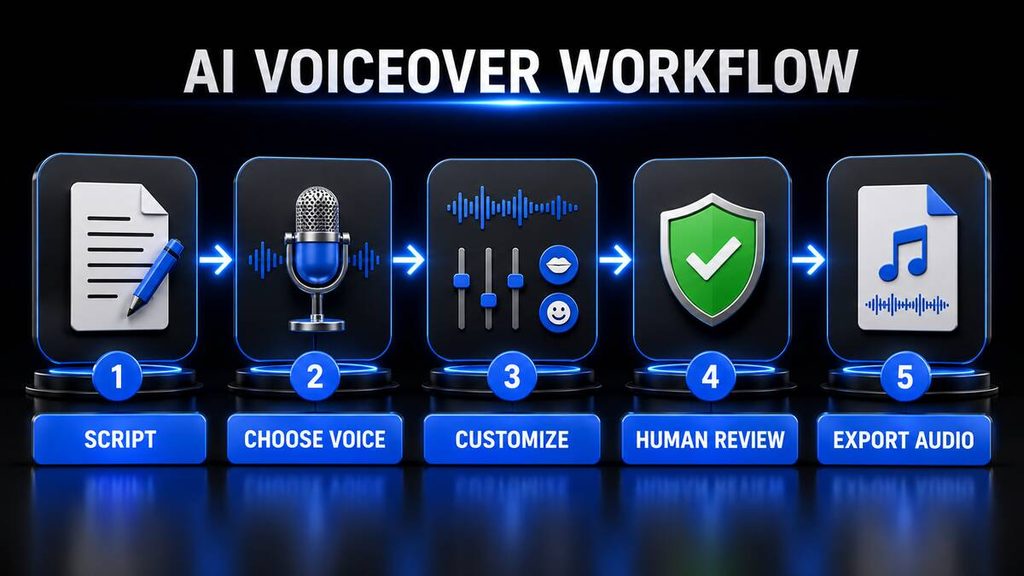
An AI voice generator is software that uses artificial intelligence and text-to-speech technology to convert written words into spoken audio.
You enter or upload a script, select a voice and ask the software to generate an audio recording. Most platforms allow you to download the finished recording as an MP3, WAV or another audio format.
Modern AI voice generators can provide considerably more control than traditional text-to-speech software. Depending on the platform, users may be able to adjust:
- Speaking speed
- Pitch
- Emotional delivery
- Pauses
- Pronunciation
- Emphasis
- Accent
- Language
- Voice age
- Speaking style
Advanced tools can also clone a consenting user’s voice, translate existing audio and generate conversations featuring multiple speakers.
AI voice technology is only one part of the growing artificial-intelligence market. Businesses can combine voiceovers with the best AI social media management tools to produce and schedule narrated marketing content.
Best AI Voice Generators Compared
| AI voice generator | Best for | Free option | Voice cloning | Video or audio editing |
|---|---|---|---|---|
| ElevenLabs | Best overall | Yes | Yes | Studio features |
| PlayHT | Developers and conversational voices | Limited access | Yes | Mainly voice production |
| Murf AI | Businesses and presentations | Yes | Available | Voice and video workflows |
| LOVO AI | Content creators | Trial or limited plan | Yes | Built-in creation tools |
| Speechify Studio | Narration and multilingual content | Yes | Yes | Video and dubbing tools |
| WellSaid | Professional teams | Trial | Custom voice options | Voice-focused editing |
| Descript | Podcast and video editing | Yes | Yes | Full audio and video editor |
Pricing, usage limits and commercial licences can change. Check the official website and terms before subscribing or monetising generated content.
How We Selected the Best AI Voice Generators
Tool Habour evaluates AI voice platforms using factors that matter to creators, businesses and marketers.
Voice realism
A strong AI voice should use believable pacing, emphasis and pronunciation. It should not sound flat or excessively robotic.
Voice selection
We considered the number and variety of available voices, languages, accents and speaking styles.
Ease of use
Beginners should be able to paste a script, choose a suitable voice and generate a recording without complicated technical steps.
Editing controls
Useful controls include pronunciation correction, pauses, speed adjustments, pitch, emphasis and emotional delivery.
Commercial usage
Creators need to know whether generated audio can be used in monetised videos, advertisements, podcasts and paid products.
Value for money
We considered free plans, trials, entry-level pricing and the amount of usable audio included.
Additional features
Voice cloning, dubbing, translation, video editing and API access can provide additional value.
This comparison is based on publicly available product information and official documentation. It does not pretend that every platform was personally tested under controlled conditions.
1. ElevenLabs — Best AI Voice Generator Overall
ElevenLabs is our top overall recommendation for users who want realistic voices, multilingual speech and flexible voice-generation tools.
The platform provides text-to-speech, voice cloning, voice changing, sound effects, dubbing and voice design. Voice Design allows users to describe the type of voice they want rather than selecting only from existing options.
For example, a user could request a calm documentary narrator, an energetic advertisement voice or a friendly educational speaker.
ElevenLabs currently advertises thousands of voices and support for numerous languages. Its free plan includes monthly credits for testing text-to-speech and other features. The Starter plan adds a commercial licence and Instant Voice Cloning. View ElevenLabs’ current plans.
Key features
- Realistic text-to-speech
- Large voice library
- Multilingual voice generation
- Voice Design
- Instant Voice Cloning
- Professional Voice Cloning
- AI dubbing
- Voice changing
- Sound-effect generation
- API access
- Studio projects
Advantages
- Highly natural voice quality
- Strong multilingual support
- Suitable for short and long-form content
- Useful voice-design features
- Free plan available
- Commercial rights included on qualifying paid plans
Disadvantages
- Credit consumption can become confusing
- Long projects may require a higher plan
- Voice cloning requires careful consent and responsible use
- Generated pronunciation may occasionally need correction
Who should use ElevenLabs?
ElevenLabs is suitable for:
- YouTube creators
- Podcasters
- Audiobook producers
- Course creators
- Marketers
- Game developers
- Businesses
- Application developers
Tool Habour verdict
ElevenLabs is the best overall AI voice generator for 2026 because it offers an excellent combination of realism, voice variety, multilingual support and advanced audio features.
2. PlayHT — Best for Developers and Conversational Voices
PlayHT is designed for text-to-speech production and real-time conversational voice applications.
Its PlayDialog model focuses on conversations involving multiple speakers. The model uses conversational context to control pacing, emotion, prosody and intonation.
This makes PlayHT particularly interesting for developers building:
- Voice assistants
- Customer-support systems
- Interactive applications
- AI agents
- Conversational experiences
- Narrated applications
PlayHT also offers voice cloning and APIs for integrating generated speech into websites, mobile applications and other software. Its documentation says Instant Voice Cloning can work from a short speech sample, but users should only clone voices they own or have permission to use. Read the official PlayHT documentation.
Key features
- Real-time text-to-speech
- Conversational voice models
- Multiple-speaker dialogue
- Voice cloning
- Streaming audio
- Text-to-speech API
- Stock voice library
- Developer SDKs
- Batch speech generation
Advantages
- Strong developer tools
- Suitable for real-time applications
- Supports conversational speech
- Can generate multiple-speaker dialogue
- Offers streaming functionality
Disadvantages
- More technical than beginner-focused platforms
- API pricing and usage require careful monitoring
- Casual creators may not need the developer features
- Product plans and interfaces can be less straightforward for beginners
Who should use PlayHT?
PlayHT is best for developers, technology businesses and users who want to build applications involving conversational AI voices.
Tool Habour verdict
PlayHT is the best AI voice platform for developers and conversational applications.
Businesses interested in combining voice generation with wider automation can also read our guide to AI tools for business automation.
3. Murf AI — Best for Businesses and Presentations
Murf AI is a professional AI voice platform designed for business presentations, training material, advertisements, product demonstrations and educational content.
Murf currently offers more than 200 voices across over 35 languages. Users can adjust pronunciation, pitch, speed, pauses and intonation. The platform also provides AI dubbing, video translation and conversational voice agents. Explore Murf AI’s official features.
Murf’s structured studio makes it suitable for users who want to create voiceovers without working inside a complicated professional audio editor.
Key features
- More than 200 AI voices
- Over 35 supported languages
- Multiple accents
- Pronunciation library
- Pitch and speed controls
- Voiceover editor
- AI dubbing
- Video translation
- Presentation voiceovers
- Text-to-speech API
- Business collaboration
Advantages
- Designed for professional business content
- Useful pronunciation controls
- Supports presentations and training videos
- Large voice selection
- Free testing option
- Commercial rights available on qualifying plans
Disadvantages
- Audio downloads may require a paid plan
- The free option has limitations
- Paid plans can be expensive for occasional users
- Advanced voice features may require higher tiers
Who should use Murf AI?
Murf AI is suitable for:
- Businesses
- Marketing teams
- Teachers
- Corporate trainers
- Presentation creators
- Advertising teams
- E-learning producers
Tool Habour verdict
Murf AI is the best AI voice generator for business presentations and professional training content.
4. LOVO AI — Best for Content Creators
LOVO AI offers voice generation through its Genny content-creation platform.
Instead of providing only text-to-speech, LOVO combines AI voices with tools for creating and editing videos. This can help users produce narrated social-media videos, YouTube content, advertisements and educational material inside one platform.
LOVO provides a large voice library, different languages and expressive voice options. Its additional tools can assist with subtitles, visual content and sound effects.
Key features
- AI text-to-speech
- Large voice library
- Multiple languages
- Emotional voice styles
- Voice cloning
- Video editing
- Automatic subtitles
- AI script assistance
- AI sound effects
- AI image creation
Advantages
- Combines voice and video production
- Suitable for content creators
- Offers expressive voice styles
- Useful for advertisements and social-media videos
- Reduces the need for several separate applications
Disadvantages
- The interface may feel busy to new users
- Generation and download limits depend on the plan
- Some advanced tools require higher subscriptions
- AI-generated visuals and scripts still require human review
Who should use LOVO AI?
LOVO AI is best for:
- YouTubers
- Social-media creators
- Advertisers
- Online teachers
- Video marketers
- Small creative teams
Tool Habour verdict
LOVO AI is the best AI voice generator for creators who want voice and video tools in one platform.
After producing voiceovers, creators can use the best AI social media management tools to organise and schedule their finished content.
5. Speechify Studio — Best for Narration and Multilingual Content
Speechify Studio is a voice and video content platform offering AI voiceovers, dubbing, voice cloning and avatars.
It provides more than 1,000 voices across over 60 languages, according to its current product information. Users can produce narration for videos, presentations, explainers and training content. View Speechify Studio.
Speechify is widely associated with reading text aloud, but its Studio product is aimed more directly at creators and businesses producing original content.
Key features
- More than 1,000 AI voices
- Over 60 languages
- Voice cloning
- AI dubbing
- AI avatars
- Video creation
- Voice changing
- Narration tools
- Multiple accents
- Free plan
Advantages
- Extensive language selection
- Large voice library
- Useful for narration and accessibility
- Includes video and avatar tools
- Free plan for testing
- Suitable for multilingual content
Disadvantages
- Credit limits apply
- The large number of tools may be unnecessary for simple voiceovers
- Premium features require paid plans
- Users must check commercial rights for their chosen subscription
Who should use Speechify Studio?
Speechify Studio is suitable for:
- Narrators
- Teachers
- Course creators
- Businesses producing multilingual content
- Video creators
- Accessibility-focused projects
Tool Habour verdict
Speechify Studio is the best AI voice platform for narration and multilingual content.
6. WellSaid — Best for Professional Teams
WellSaid is a professional AI voice platform built around voices created from licensed recordings by real voice actors.
The company currently advertises more than 280 voices across different accents, languages, tones and styles. Its studio provides pronunciation controls, editing tools and unlimited generation on qualifying plans. Usage is generally measured by finished audio downloads. Explore WellSaid and its current pricing.
WellSaid’s professional workflow makes it suitable for companies producing consistent branded audio.
Key features
- More than 280 voices
- Licensed voice-actor recordings
- Pronunciation controls
- Tone and emotional adjustments
- Commercial rights on paid plans
- Team collaboration
- High-quality audio downloads
- Caption files
- API access
- Custom voice options
Advantages
- Professional voice quality
- Clear business-oriented licensing
- Suitable for repeatable brand content
- Strong pronunciation controls
- Team and enterprise features
- Free trial available
Disadvantages
- Primarily focused on professional users
- Multilingual requirements should be checked carefully
- Monthly plans cost more than some beginner tools
- The trial does not include full commercial rights
Who should use WellSaid?
WellSaid is best for:
- Corporate teams
- Marketing departments
- Product-training teams
- E-learning businesses
- Advertising agencies
- Enterprises requiring consistent voiceovers
Tool Habour verdict
WellSaid is the best AI voice generator for professional teams and branded business content.
7. Descript — Best for AI Voice and Audio Editing
Descript is an audio and video editor that allows users to edit recordings by editing a written transcript.
Its AI voice features can generate speech using stock voices or a custom clone of the user’s authorised voice. A custom AI Speaker can help correct mistakes without recording an entire section again.
For example, if a podcaster says the wrong date, the incorrect words can be replaced in the transcript and regenerated using the authorised voice clone.
Descript also includes transcription, screen recording, podcast editing, video editing and audio-enhancement tools. View Descript’s AI voice features and current plans.
Key features
- Text-based audio editing
- Text-based video editing
- Stock AI voices
- Custom AI voice cloning
- Transcription
- Podcast editing
- Screen recording
- Audio enhancement
- Filler-word removal
- Video production
- Free plan
Advantages
- Combines generation and editing
- Excellent for correcting recorded speech
- Useful for podcasts and videos
- Beginner-friendly text-based editing
- Free plan available
- Reduces the need to re-record small mistakes
Disadvantages
- Not primarily a dedicated voice-library platform
- AI features consume monthly credits
- Advanced exports require paid plans
- Users wanting only text-to-speech may prefer a simpler platform
Who should use Descript?
Descript is best for:
- Podcasters
- YouTubers
- Video editors
- Interview creators
- Online teachers
- Screen-recording creators
Tool Habour verdict
Descript is the best platform for combining AI voice generation with podcast and video editing.
Creators choosing between broader assistants for scriptwriting may also find our ChatGPT vs Claude comparison useful.
What Can You Create With AI Voices?
AI voice generators can support many legitimate creative and business projects.
YouTube voiceovers
Creators can turn scripts into narration for tutorials, documentaries, product comparisons and explainer videos.
AI should assist the production process rather than produce repetitive, low-value content. Original research, thoughtful editing and useful information remain important for building a credible channel.
Podcasts
AI voices can create introductions, advertisements, translated episodes or short corrections. Tools such as Descript can also help edit recorded podcasts.
Online courses
Teachers and businesses can convert written lessons into narrated modules. Multilingual tools can make training accessible to a broader audience.
Advertisements
Businesses can produce voiceovers for product demonstrations, social-media advertisements and promotional videos.
Audiobooks
Long-form narration is possible, but creators should check credit limits, consistency and commercial rights before starting a complete book.
Business presentations
AI voiceovers can narrate slides, training presentations, product demonstrations and onboarding material.
Accessibility
Text-to-speech can help audiences who prefer listening to written information. However, content should still provide readable text, captions and accessible design.
Social-media videos
AI voices can narrate Instagram Reels, TikTok videos, Facebook advertisements and YouTube Shorts.
For broader marketing automation, read our guide to the best AI email marketing tools.
How to Choose the Best AI Voice Generator
The most realistic voice is not automatically the best choice for every project.
1. Define your purpose
Determine whether you need voices for:
- YouTube
- Podcasts
- Business presentations
- Courses
- Advertisements
- Audiobooks
- Applications
- Customer-service agents
A YouTube creator and an application developer may require completely different platforms.
2. Test the voice with your own script
Product demonstrations usually use carefully selected scripts. Test your actual content before paying.
Include:
- Names
- Numbers
- Brand names
- Abbreviations
- Questions
- Emotional sentences
- Industry terminology
- Local place names
This will reveal whether the platform handles your required pronunciation and pacing.
3. Check language and accent support
A platform may claim to support a language while offering only a small selection of voices for it.
Listen to samples and check whether the accent sounds suitable for your target audience.
Users targeting South Africans should test local names, towns and expressions carefully. An “English” voice does not automatically provide a convincing South African accent.
4. Confirm commercial rights
Do not assume that free audio can be monetised.
Check whether your plan permits:
- Monetised YouTube videos
- Advertisements
- Client projects
- Podcasts
- Paid courses
- Audiobooks
- Commercial applications
- Social-media promotions
Save a copy of the applicable licence or terms for your records.
5. Understand the usage system
Platforms may charge according to:
- Characters
- Credits
- Generated minutes
- Downloaded minutes
- API usage
- Number of projects
Estimate how many scripts you expect to produce each month before selecting a subscription.
6. Review export options
For casual videos, MP3 may be sufficient. Professional editors may prefer uncompressed WAV files and higher sample rates.
7. Check editing controls
Pronunciation correction, pauses, speed, emotion and emphasis can make a considerable difference to the final result.
8. Start with a free plan or trial
Generate several short samples before committing to an annual subscription.
AI Voice Cloning and Responsible Use
Voice cloning can create a synthetic version of a real person’s voice. It can be useful for correcting recordings, translating personal content and producing authorised narration.
However, voice cloning can also be misused for fraud, impersonation, harassment and misleading content.
Follow these principles:
- Clone only your own voice or a voice you have explicit permission to use.
- Do not imitate celebrities, public figures or private individuals without authorisation.
- Do not use cloned voices for scams or misleading endorsements.
- Clearly disclose synthetic audio when listeners could reasonably mistake it for a real recording.
- Protect uploaded voice samples and account access.
- Follow the platform’s rules and applicable laws.
- Keep records of consent when producing voice clones for clients.
Never assume that a voice being publicly available means it can legally or ethically be cloned.
Can AI-Generated Voices Be Used Commercially?
Some AI-generated voices can be used commercially, but permission depends on the platform, voice and subscription plan.
A free plan may allow personal experimentation while excluding commercial use. Paid plans may include commercial rights but still impose restrictions on impersonation, prohibited content, voice cloning and redistribution.
Before publishing monetised content:
- Read the platform’s commercial-use terms.
- Confirm that your subscription includes commercial rights.
- Check whether your selected voice has additional restrictions.
- Use scripts you own or have permission to use.
- Keep proof of your subscription and licence.
- Recheck the terms when your plan changes.
AI voice software does not give you ownership of copyrighted scripts, music or third-party recordings.
Are Free AI Voice Generators Worth Using?
Free AI voice generators are useful for testing voice quality and learning how the platform works.
A free plan may be sufficient for:
- Short personal projects
- Voice demonstrations
- Testing pronunciation
- Comparing accents
- Creating prototypes
- Evaluating the interface
Free plans may have restrictions involving:
- Monthly generation limits
- Audio downloads
- Commercial usage
- Voice cloning
- Premium voices
- Export quality
- Attribution
- Project length
If you plan to monetise content, confirm that the plan includes commercial rights before publishing.
The same principle applies when choosing a general AI subscription. Our ChatGPT Free vs ChatGPT Plus comparison explains when a paid upgrade may be worthwhile.
Best AI Voice Generators: Final Verdict
The right platform depends on your content, budget and workflow.
Choose ElevenLabs if:
- You want the best overall platform.
- Realistic speech is your priority.
- You need multilingual voices.
- You want voice design or cloning.
- You create different types of audio content.
Choose PlayHT if:
- You are building an application.
- You need real-time voice streaming.
- You want conversational AI voices.
- API access is important.
Choose Murf AI if:
- You create business presentations.
- You produce training material.
- You need pronunciation controls.
- You work with a business team.
Choose LOVO AI if:
- You create social-media or YouTube videos.
- You want voice and video tools together.
- You need expressive voices.
- You prefer an all-in-one creative platform.
Choose Speechify Studio if:
- You need multilingual narration.
- You want a large voice library.
- You create explainers or educational content.
- Voice cloning and dubbing are important.
Choose WellSaid if:
- You require professional business voiceovers.
- Brand consistency is important.
- You work in a team.
- You prefer voices created from licensed voice-actor recordings.
Choose Descript if:
- You edit podcasts or videos.
- You want to correct speech by editing text.
- You need transcription and voice generation together.
- You want to clone your own authorised voice.
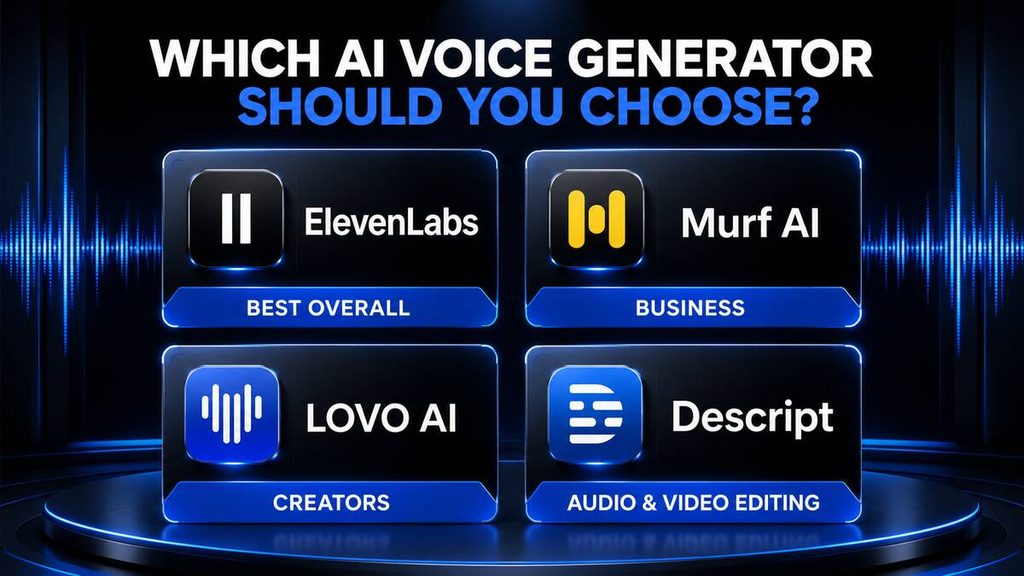
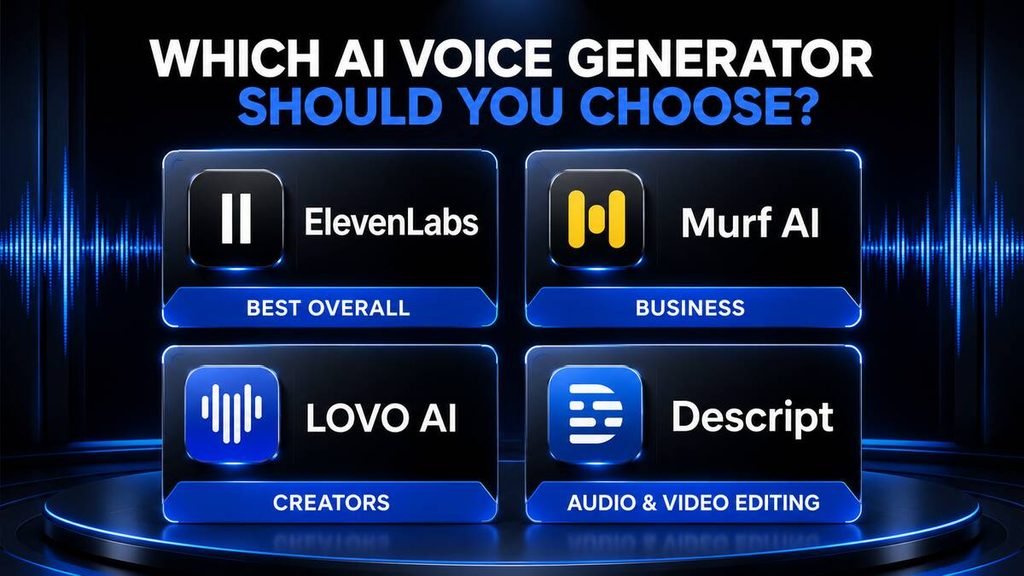
For most users, ElevenLabs is the best AI voice generator overall. Murf AI is an excellent business-focused alternative, while Descript offers the most useful workflow for creators who need to edit recorded audio and video.
Frequently Asked Questions
What is the best AI voice generator in 2026?
ElevenLabs is our best overall AI voice generator because it combines realistic speech, a large voice library, multilingual support, voice design, dubbing and cloning features. The best option still depends on your project.
What is the most realistic AI voice generator?
ElevenLabs, Murf AI and WellSaid are strong options for natural-sounding speech. Realism can vary according to the selected voice, language, script and speaking style.
Is there a completely free AI voice generator?
Several platforms offer free plans or trials, including ElevenLabs, Murf AI, Speechify Studio and Descript. Free-plan limits and commercial rights vary.
Can I use an AI voice on YouTube?
Yes, provided you have the necessary commercial rights and your content follows YouTube’s policies. AI narration should support original, useful content rather than repetitive or misleading videos.
Can YouTube monetise videos with AI voices?
The use of an AI voice alone does not automatically prevent monetisation. The overall content must provide original value and comply with YouTube’s monetisation and disclosure requirements.
Can I clone my own voice?
Yes. Platforms including ElevenLabs, PlayHT, Speechify Studio and Descript offer voice-cloning features. Follow their verification processes and clone only voices you are authorised to use.
Can I clone someone else’s voice?
Only when you have clear permission and the use complies with the platform’s rules and applicable laws. Do not clone a person’s voice to impersonate, deceive or falsely represent them.
Which AI voice generator is best for YouTube?
ElevenLabs is a strong overall choice for YouTube narration. LOVO AI may be better for creators wanting voice and video tools together, while Descript is useful for editing recorded videos.
Which AI voice generator is best for business presentations?
Murf AI is our preferred option for business presentations because it provides professional voices, pronunciation controls and business-focused production tools.
Which AI voice generator is best for podcasts?
Descript is particularly useful for podcasts because it combines transcription, text-based audio editing, stock AI voices and custom voice cloning.
Do AI voices support South African accents?
Support varies between platforms and individual voices. Test voice samples and local words before subscribing. Check whether the voice accurately pronounces South African names, locations and expressions.
Are AI voices safe to use?
AI voices are useful when used responsibly. Users should obtain consent, avoid impersonation, protect voice samples, verify commercial rights and disclose synthetic audio when appropriate.